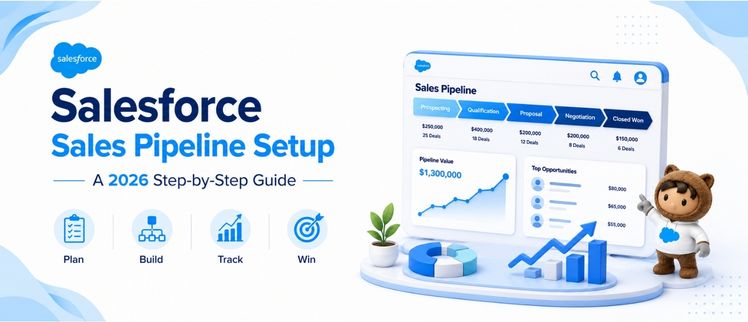
Salesforce Sales Pipeline Setup: A 2026 Step-by-Step Guide
If you’ve ever sat in a forecast call and watched a “committed” deal evaporate overnight, you already know the problem isn’t your sales team — it’s your pipeline. A proper Salesforce sales pipeline setup turns scattered opportunity data into a system that tells you, with reasonable confidence, what’s going to close and what’s quietly dying. According to a study, only 7% of sales organizations hit forecast accuracy above 90%, and the median sits between 70% and 79% — which means most teams are flying with a foggy windshield. This guide walks through how to create a sales pipeline in Salesforce step by step, configure stages correctly, set up forecasting (including Einstein), and fix the accuracy gaps that quietly cost revenue.
What Does a Proper Salesforce Sales Pipeline Setup Actually Involve?
A Salesforce sales pipeline setup isn’t just dragging opportunity records into stage columns. It’s the combination of object architecture, stage logic, automation, and reporting that determines whether your forecast is trustworthy or fictional. Done right, a Salesforce sales pipeline setup gives reps a clear path to follow and gives managers a dashboard that reflects reality, not optimism.
At its core, every Salesforce sales pipeline setup rests on three pillars:
- Opportunity stages that map to real buyer behavior, not internal jargon
- Probability and forecast category fields that are consistently applied
- Activity and stage-history tracking that feeds accurate reporting
Skip any of these, and your Salesforce sales pipeline setup will look fine on the surface while quietly misleading leadership underneath.
How to Create a Sales Pipeline in Salesforce Step by Step
This is the part most teams rush — and it’s exactly where a Salesforce sales pipeline setup goes wrong. Here’s a cleaner sequence to follow.
Step 1: Map Your Sales Process Before Touching Salesforce
Before opening Setup, write out your actual sales process on paper or in a doc. List every phase a deal genuinely passes through, from first contact to closed-won. A Salesforce sales pipeline setup built around your real process — not a generic template — is the difference between adoption and rep resistance.
Step 2: Create or Customize Your Opportunity Record Type
Go to Setup → Object Manager → Opportunity → Record Types. If you sell multiple products or run different motions (new business vs. renewals, for instance), separate record types let each have its own stage set without cluttering the others.
Step 3: Define Your Opportunity Stages
Under Setup → Sales → Path Settings, or directly in Opportunity → Fields & Relationships → Stage, define each stage with a name, a default probability, and a forecast category. Keep the list short — six to eight stages is the sweet spot for most B2B teams.
Step 4: Set Entry and Exit Criteria
For every stage, write down what must be true for a deal to move forward. “Discovery call completed and budget confirmed” is a usable exit criterion; “rep feels good about it” is not.
Step 5: Build Validation Rules and Required Fields
Use validation rules to stop reps from skipping stages without filling in required fields like next steps, close date, or competitor information. This single step does more for pipeline hygiene than almost anything else in a Salesforce sales pipeline setup.
Step 6: Connect Activities and Tasks to Each Stage
Use Path or Flow to auto-suggest tasks when a deal enters a stage — like “send proposal” at the Proposal stage. This keeps the pipeline moving instead of stalling silently.
Step 7: Test With a Sample Deal
Before rolling it out, run a few opportunities through the entire pipeline yourself. You’ll catch broken automation, missing fields, or confusing stage names before your reps do.
What Are the Salesforce Opportunity Stages Best Practices for 2026?
Stage design has shifted noticeably as AI-driven scoring has matured. Following Salesforce opportunity stages best practices 2026 means:
- Fewer, clearer stages. Long stage lists (10+) dilute forecast categories and confuse reps. Most high-performing teams now run 6-8 stages.
- Buyer-verified milestones, not rep activity. “Proposal sent” describes what the rep did; “proposal reviewed by economic buyer” describes what the customer did. The latter is far more predictive.
- Stage names tied to forecast categories. Pipeline, Best Case, Commit, and Closed should map cleanly to stages so forecast roll-ups stay consistent.
- AI-assisted stage validation. Increasingly, teams use Einstein scoring or third-party intent signals to flag when a deal is marked at a stage its engagement data doesn’t support.
A Salesforce sales pipeline setup that follows these opportunity stages best practices tends to produce forecasts that hold up under scrutiny — instead of collapsing the week before quarter close.
How Do You Handle Salesforce Deal Stages Configuration?
A Salesforce deal stages configuration tutorial usually starts in the same place: Setup → Object Manager → Opportunity → Fields & Relationships → Stage → New. From there:
- Add each stage value in the order deals should progress.
- Assign a default probability percentage per stage (this feeds your pipeline-weighted forecast).
- Map each stage to a forecast category — Pipeline, Best Case, Commit, Omitted, or Closed.
- Use Opportunity Stage History related lists or reports to track how long deals sit at each stage.
- If you use Sales Path, customize the guidance text and key fields shown at each stage so reps know exactly what’s expected.
Getting this configuration right early prevents painful stage re-mapping later, when historical data gets messy and forecasting tools lose accuracy.
How Can You Track Deals in Salesforce CRM Effectively?
Once stages exist, the next question is how to track deals in Salesforce CRM without drowning reps in admin work. A few practical approaches:
- Kanban-style pipeline view. Salesforce’s native opportunity Kanban lets reps drag deals between stages and see stalled ones at a glance.
- Stage duration reports. Build a report showing average days-in-stage by opportunity, segmented by rep or team, to surface bottlenecks fast.
- Activity timeline tracking. Pair Opportunities with Tasks and Events so every call, email, and meeting is logged against the deal automatically — ideally synced via email/calendar integration rather than manual entry.
- Automated stale-deal alerts. Use Flow to notify reps (and managers) when a deal hasn’t moved in 14-21 days.
This is where a well-executed Salesforce sales pipeline setup starts paying for itself — managers stop chasing status updates and start working from real data.
How Does Salesforce Sales Forecasting Work for Beginners?
If you’re new to this, Salesforce sales forecasting for beginners boils down to a few core concepts:
- Forecast categories group opportunities by confidence level: Pipeline (early), Best Case (possible), Commit (likely), and Closed.
- Forecast types let you build rollups by amount, quantity, or product family.
- Manager rollups let sales leaders see forecasts aggregated up the org chart — rep to manager to VP.
- Adjustments allow managers to override a rep’s number with their own judgment call, while still preserving the original submission for accuracy tracking later.
Getting comfortable with these basics is a prerequisite before layering AI on top — Salesforce sales forecasting for beginners works best when the underlying pipeline data is already clean.
What’s Involved in the Salesforce Einstein Forecasting Setup Guide?
Einstein Forecasting applies machine learning to historical opportunity data to generate predictive, not just rep-submitted, forecasts. A basic Salesforce Einstein AI forecasting setup guide looks like this:
- Enable Einstein Forecasting under Setup → Forecasts → Einstein Forecasting (requires Sales Cloud Einstein or compatible edition).
- Ensure sufficient historical data. Einstein needs months of clean, consistent opportunity history to generate reliable predictions — incomplete records produce weak scores.
- Select forecast types you want Einstein to predict alongside human-submitted numbers.
- Compare Einstein’s prediction against rep forecasts in the forecast view, side by side, to spot where intuition and data disagree.
- Review and recalibrate quarterly, since Einstein’s model improves as more closed-won and closed-lost data accumulates.
A mature Salesforce sales pipeline setup treats Einstein’s score as one more input in deal reviews — not a replacement for rep judgment, but a check against it.
How Is Salesforce Revenue Prediction Using AI Changing in 2026?
Salesforce revenue prediction using AI 2026 has moved well beyond simple stage-based probability. Modern approaches now factor in:
- Engagement signals — email opens, meeting attendance, and response time, weighted into opportunity scores
- Conversation intelligence — call and email content analyzed for buying signals or risk language
- Multi-deal pattern matching — comparing a live opportunity against thousands of historically won and lost deals with similar characteristics
The shift matters because, as Gartner has noted, forecasting is getting harder even as more data becomes available — which is exactly why AI-assisted scoring inside a Salesforce sales pipeline setup has become less of a nice-to-have and more of a baseline expectation for revenue teams in 2026.
How Do You Build a Salesforce Pipeline Dashboard for Sales Managers?
A Salesforce pipeline dashboard for sales managers should answer three questions at a glance: how much pipeline exists, how healthy is it, and where is it stuck. To build one:
- Start with a pipeline-by-stage report showing opportunity count and value per stage.
- Add a stage conversion rate component comparing how many deals move from one stage to the next over a given period.
- Include a rep leaderboard showing pipeline generated, win rate, and average deal size.
- Layer in a forecast vs. actual chart to track how accurate previous forecasts have been over time.
- Use dashboard filters by team, region, or product line so the same dashboard serves multiple managers.
A dashboard like this turns your Salesforce sales pipeline setup into a daily management tool instead of a once-a-quarter reporting exercise.
What Are the Best Salesforce Pipeline Management Tips for 2026?
A few Salesforce pipeline management tips for 2026 worth adopting immediately:
- Audit stale opportunities monthly. Anything untouched for 30+ days should be flagged, reassigned, or closed-lost.
- Standardize close-date discipline. Require a reason code whenever a close date is pushed, so patterns of slippage become visible in reporting.
- Tie pipeline coverage to quota. Most B2B teams aim for 3-4x pipeline coverage relative to quota at any given time.
- Run weekly pipeline reviews, not just end-of-quarter ones, so issues surface while there’s still time to act.
- Keep your Salesforce sales pipeline setup lean. Resist the urge to add fields “just in case” — every unnecessary field is friction that reduces data quality.
How Can You Improve Sales Pipeline Accuracy in Salesforce?
This is the question that matters most to leadership, and it’s worth tackling directly. To improve sales pipeline accuracy in Salesforce:
- Enforce mandatory fields at each stage so deals can’t advance with missing data.
- Cross-check rep-submitted probability against Einstein’s score and investigate large gaps.
- Review historical win rates by stage to recalibrate default probabilities that no longer reflect reality.
- Audit forecast category usage — reps often mark deals “Commit” too early out of optimism rather than evidence.
- Run quarterly data hygiene sweeps to merge duplicates, close out abandoned opportunities, and correct stale stage assignments.
Teams that treat accuracy as an ongoing discipline — not a one-time fix — see the compounding benefit fastest. A Salesforce sales pipeline setup is never really “done”; it’s tuned continuously as your sales motion evolves.
Why Should You Partner with Salesforce Development Services for Pipeline Setup?
Plenty of teams attempt a Salesforce sales pipeline setup in-house and get partway there before hitting limits — custom validation rules that break automation elsewhere, Einstein models that underperform due to messy historical data, or dashboards that don’t scale across business units. This is where experienced Salesforce development services earn their keep: configuring stages, automations, and forecasting models correctly the first time, instead of leaving sales teams to troubleshoot a half-built system months later.
The right partner doesn’t just configure fields — they align the entire Salesforce sales pipeline setup with how your sales team actually sells, then build the reporting layer that makes the data usable for managers and leadership alike.
Final Thoughts
A reliable Salesforce sales pipeline setup isn’t a one-time project — it’s an ongoing discipline of clean data, clear stage criteria, and forecasting tools that get smarter as more deals close. Get the foundation right, and Einstein Forecasting, dashboards, and AI-driven scoring all become genuinely useful instead of just impressive-looking add-ons nobody trusts.
If your pipeline still relies on gut instinct more than data, it might be time for outside help. AnavClouds Software Solutions specializes in building Salesforce environments — from opportunity stage configuration to Einstein Forecasting rollouts — that sales teams actually trust and use every day.
Frequently Asked Questions
1. How long does a Salesforce sales pipeline setup take?
A basic setup can take one to two weeks; a full setup with Einstein Forecasting, custom automation, and dashboards typically takes four to eight weeks depending on data cleanliness and team size.
2. Can I use Einstein Forecasting on any Salesforce edition?
No. Einstein Forecasting requires Sales Cloud Einstein or a compatible premium edition; standard Sales Cloud editions don’t include predictive forecasting features.
3. How many opportunity stages should a sales pipeline have?
Most B2B teams perform best with six to eight stages. Too few oversimplifies the buying journey; too many dilutes forecast accuracy and confuses reps.
4. Why is my Salesforce pipeline forecast inaccurate?
Inaccurate forecasts usually trace back to inconsistent stage definitions, missing required fields, or reps marking deals “Commit” without supporting engagement data.
Search Posts
Popular Posts
Author profile: Saransh Maurya, Content Writer at AnavClouds Software Solutions
Saransh
Maurya
About the author
Saransh Maurya is a dynamic and results-driven professional with a passion for innovation and problem-solving. Known for his analytical mindset and attention to detail, he excels at delivering high-quality solutions that drive business growth and operational efficiency. With strong communication skills and a collaborative approach, Saransh effectively bridges ideas and execution, contributing to successful projects and meaningful outcomes across diverse domains.
Recent Posts