Salesforce ERP Integration: Strategies That Actually Work
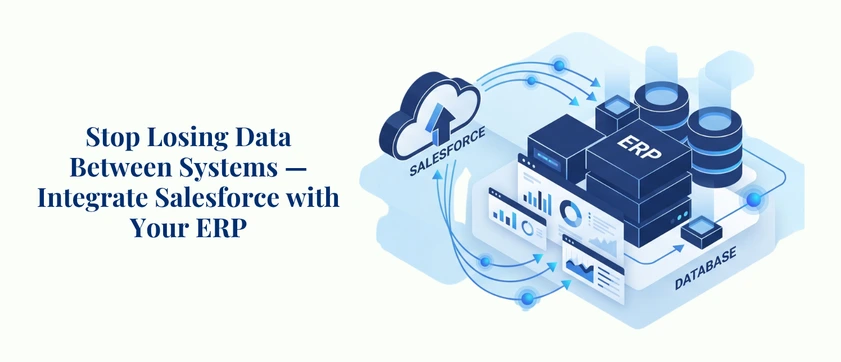
While your sales team works in Salesforce making sales, your finance team works in ERP to process your invoices — and neither team know what the other is doing. Most businesses don’t realize how common this disconnect can be, and it’s a silent thief that is costing you time, money and customer trust on a daily basis. Salesforce ERP integration is the key that fills this gap. It’s a seamless integration between your CRM and ERP systems that allows data to move in real-time, all teams operate from the “Same Place” and your operations truly operate as intended. From strategies and tools, to platform-specific approaches for SAP, Oracle, and NetSuite, this Salesforce Integration Guide has you covered.
Why Salesforce ERP Integration Has Become a Business Priority
CRM ERP integration was previously an IT project only available to enterprises with large budgets and architecture teams. This is no longer the case. The need to integrate the front-office and back-office systems is now being felt by businesses of all sizes – and it is more critical than ever.
Global ERP market grew by 11.3% year-over-year to $66 billion in 2024 but a substantial portion of ERP investments are underperforming due to lack of integration between CRM and ERP systems. The tools are in place. The spending is taking place. More often than not, what is missing are the proper Salesforce ERP integration layer that makes all of this work together.
With a successful Salesforce ERP integration, here are the changes that happen in the business:
- Sales teams have the ability to view the inventory, pricing, and account credit status in real time without leaving Salesforce.
- Finance team receives the real-time data of orders and revenues without having to import or reconcile data manually.
- In CRM, operations teams can initiate workflows in ERP, such as a purchase order or production run, directly from an activity.
- Customer service staff have access to a comprehensive history of orders, shipment tracking, and invoicing – all within one place.
The outcome is not only improved efficiency but a better operation. It’s a more fundamentally sound approach to conducting business, with Salesforce solutions at heart.
What Salesforce ERP Integration Actually Involves
It is important to note that Salesforce ERP integration is not a single platform or tool, but a practice. Salesforce ERP integration is not a single platform, tool or product; it is a practice.
It’s simply the act of connecting Salesforce CRM to your Enterprise Resource Planning (ERP) system in real time and automatically. Salesforce integration lets both platforms communicate with each other without requiring manual export/import of data from one system to the other; data can be shared between platforms in real-time or asynchronously on a scheduled basis depending on the operational needs.
A typical Salesforce ERP integration encompasses:
- Customer and account data sync — synchronizing customer and account information without having to maintain it manually; and
- Order management — enables sales reps to place and follow up on orders in Salesforce, which are automatically synced to ERP
- The inventory and pricing data unlocks real-time stock availability and approved pricing lists for sales teams during quoting, ensuring accurate presentations.
- Tracking and controlling invoices & payments — bringing financial information from the ERP into Salesforce to provide full visibility of the accounts.
- Forecasting and reporting — combining CRM pipeline data with ERP financials for more accurate business planning
The Salesforce integration complexity will vary based on the ERP that you’re using, the structure of your Salesforce org, and the outcomes you’re looking to drive out of your business.
Salesforce Integration with SAP: Tackling Enterprise Complexity
Salesforce integration with SAP can be the most critical integration opportunity for large businesses. Developed to power global manufacturers, distributors, and financial institutions, SAP is a comprehensive suite of applications deeply integrated into the operations of these businesses — and connecting it to Salesforce taps into some of the most mission-critical workflows in business.
Common SAP Salesforce Integration Use Cases
- Adding and updating customer master data from SAP to Salesforce accounts
- Transferring sales orders that are confirmed in Salesforce to SAP for order fulfillment
- Fetching inventory and pricing in real-time from SAP to Salesforce opportunities.
- Up to date invoice status and payments history in Salesforce, from SAP financials.
Before you approve a quote in Salesforce, preview the customer’s credit limit. Check customer’s credit limit when viewing a customer before the quote is approved.
SAP Salesforce Integration Approaches
- SAP Integration Suite (BTP): The cloud-native SAP integration middleware, designed for API-led connectivity. Ideal for use for Salesforce ERP integration patterns, both real-time and batch, and the recommended path for organizations already using SAP.
- MuleSoft Any point Platform: One of the most popular Salesforce data integration tools for SAP environments, particularly in enterprise organizations which are API-first. Not only does MuleSoft provide prebuilt SAP connectors, reusable APIs, and the option to orchestrate complex workflows among SAP and Salesforce; it provides a platform to orchestrate complex workflows throughout the enterprise application stack.
- Direct REST/OData APIs: With REST-based integrations, the SAP exposes OData APIs for many of its modules which can connect with Salesforce. This is suitable for specific, well-defined use cases, but needs more custom Salesforce development services to be put in place and maintained.
- Third-party iPaaS platforms: These include Boomi, Celigo, and Jitterbit, which extend SAP to Salesforce and are favored by mid-market businesses who need quicker deployment times and don’t have the same level of platform engineering.
The integration method to SAP Salesforce will vary depending on the scale of your SAP environment, any existing investments in middleware, and the number of data flows you are trying to manage.
Salesforce Oracle Integration: Bridging Financials and Customer Data
Oracle has a strong presence in the enterprise space with Oracle E-Business Suite (Oracle EBS), Oracle Fusion Cloud, and Oracle JD Edwards. For businesses in which financial information, customer relationships and pricing are stored in Oracle, Salesforce Oracle integration can be especially beneficial because it enables you to show this information in Salesforce to your sales and service teams.
Key Use Cases for Salesforce Oracle Integration
- Mapping account hierarchies and customer master records between both platforms.
- Importing accepted pricelists and contract terms to Salesforce CPQ
- Managing and managing sales orders in Oracle directly from Sales Force opportunities
- Connecting the Oracle shipment, fulfillment and delivery data to Salesforce.
- Access credit limits, outstanding invoices, and payment history in Salesforce accounts
Recommended Tools for Salesforce Oracle Integration
- Oracle Integration Cloud (OIC): Best in Oracle-heavy environments. Oracle is a good match for OIC, because OIC has prebuilt adapters for both Salesforce and Oracle products.
- MuleSoft for Oracle: For enterprises that have a multi-system environment, MuleSoft allows you to integrate Oracle with Salesforce and other enterprise systems, all in one unified Salesforce ERP integration layer that scales across the enterprise.
- Custom API integrations: If there are certain modules or workflows that require custom development that goes beyond out-of-the-box API connectors, you can integrate Oracle’s REST and SOAP APIs.
Salesforce Oracle integration is most useful in industries where e.g., financial management systems are extensive, such as manufacturing, distribution, and financial services, where the front office activity in Salesforce must dovetail tightly with financial management systems in Oracle.
Salesforce NetSuite Integration: The Mid-Market Sweet Spot
Salesforce NetSuite integration is a project that can yield the highest ROI for growing businesses and mid-market companies. NetSuite is the answer for businesses growing beyond spreadsheets and complements the Salesforce front-office CRM. When they are properly connected, together they provide the entire lead-to-cash experience.
What Salesforce NetSuite Integration Solves
The big issue is that sales reps are able to close sales in Salesforce and then have to manually re-enter order data into NetSuite. That handoff is where mistakes, delays and customer frustration build up.
With a solid Salesforce NetSuite integration in place:
- You can automatically create sales orders in NetSuite from Won opportunities in Salesforce.
- Data from customer billing, invoice, and payment are real-time returned to Salesforce.
- NetSuite inventory levels appear in sales reps’ view when they are quoting.
- Financial reports in NetSuite are in sync with Salesforce pipeline data for more accurate planning.
- There is no manual reconciliation of customer records between the two systems.
Tools for Salesforce NetSuite Integration
- Celigo: One of the most popular Salesforce NetSuite integrators with an integration application that is built specifically for Salesforce NetSuite, it has an extensive library of pre-configured workflows such as order-to-cash, lead-to-quote, and more.
- Boomi: A powerful enterprise-grade platform with powerful NetSuite and Salesforce integration — particularly for those companies operating multiple systems in addition to these two.
- MuleSoft: The enterprise-grade option when Salesforce NetSuite integration is part of a broader API strategy across the organization and requires scalable, API-led architecture.
- Salesforce Connect: With less demanding applications, Salesforce’s built-in integration capabilities can directly connect to NetSuite data without a middle-layer application.
Salesforce Integration Strategies: Choosing the Right Approach
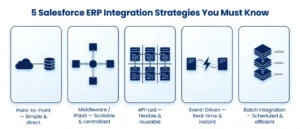
The best Salesforce ERP integration isn’t just about the tool – it’s about the strategy. These are the fundamental Salesforce integration strategies that should be considered prior to any construction:
Point-to-Point Integration
Direct connections created between Salesforce and the ERP system is the simplest way — known as P2P Integration. Can be good for very specific use cases and difficult to maintain as integration becomes more extensive.
Middleware / iPaaS Integration
The most common enterprise approach. A data integration platform, such as MuleSoft, Boomi, or Celigo, provides a layer between Salesforce and the ERP and is responsible for transforming data, routing it, and managing errors. This is the most scalable type of Salesforce ERP integration for mid to large companies.
API-Led Integration
A more structured form of integrations with middleware, where each integration is created as an API. This is Salesforce’s recommended strategy for complex environments, and it is the foundation of long term Salesforce integration strategies.
Event-Driven Integration
Near real-time integration of ERP workflows are triggered in Salesforce through event-driven integration via Salesforce Platform Events or Change Data Capture (CDC). This is perfect for order management, inventory warnings and customer status changes which must happen immediately.
Batch Integration
For batch and non-real-time situations such as nightly financial reconciliations or weekly customer lists, for instance, batch integration moves large quantities of data at specific times. Faster, cheaper and uses less resources compared to continuous sync.
These patterns are all commonly used in well-designed Salesforce ERP integration architectures with varying strategies used for specific data flows depending on the business need and latency requirements.
Best Practices for a Successful Salesforce ERP Integration
The organization is as much of a challenge as Salesforce ERP integration is a technical challenge. These practices distinguish between projects that have a long term benefit and result in new problems, and those that have a short term benefit but later become a problem:
Map your data before you build.
Know precisely which fields are to be synchronized, and how—with what “logic”? The most common reason for integration failures between Salesforce ERP is mismatched data models.
Define your integration triggers precisely.
When should an order be synced to the ERP – when an opportunity is marked as Closed Won, or when a specific approval step is completed? Improperly configured trigger logic results in a duplication of records and downstream process failures.
Build error handling in from day one.
There will be integrity issues; they will face failures, such as network timeout, validation error, and duplicate records. The architecture should involve monitoring and alerting, not be an add-on feature.
Involve end users early.
The systems are being integrated with sales reps, finance team, and operations staff. They will provide feedback on data requirements and workflow expectations, which will minimize rework.
Test with real data.
Synthetic test data doesn’t always reveal the edge cases that production data reveals. Conduct integration tests with a sample of real data prior to go-live.
Work with experienced Salesforce Consulting Services.
In fact, the knowledge of your integration partner is as critical as the tools that you select, particularly when you are dealing with a highly complex ERP environment such as SAP or Oracle. Reputable Salesforce ERP integration services will evaluate your existing system, determine the best approach, and design a solution that’s going to be maintainable in the long run.
Conclusion
For instance, Salesforce ERP integration is no longer a project that is limited to large companies with a high IT budget. It’s a hands-on, cost-effective effort that companies of all sizes are taking to remain competitive, reduce inefficiencies in the system, and provide a positive customer experience. The journey to a successful Salesforce integration with SAP – whether it’s a global enterprise environment, a Salesforce Oracle integration that aligns the financials with the activity in the front office or a Salesforce NetSuite integration for a rapidly expanding mid-market operation – is the same: clear data mapping, a suitable integration path and a capable partner supporting the build. Our Salesforce ERP integration services at AnavClouds Software Solutions have been created to help businesses integrate their systems in a smart way, keeping the architecture scalable as the business expands.
FAQs
What is Salesforce ERP integration, and why does it matter?
Salesforce ERP integration seamlessly integrates your CRM and ERP to sync data such as orders, invoices, inventory, and so much more automatically, avoiding the need for manual entry and providing each team member with a unified, accurate view of your data.
How long does a Salesforce ERP integration typically take?
The time taken for a simple Salesforce NetSuite integration could be 6 weeks, while complex SAP or Oracle implementations could take up to 12 months. It depends on scope, complexity of data and partner experience.
What are the most commonly used Salesforce data integration tools?
The top tools include MuleSoft, Boomi, Celigo, Jitterbit and Informatica. In the lighter use case, Salesforce Connect is a natively supported integration, meaning a dedicated middleware isn’t necessary.
Can Salesforce connect to multiple ERP systems at the same time?
Yes. Salesforce can then be seamlessly integrated with various ERPs, such as SAP and NetSuite, and deliver the right data to each ERP within a single architecture by using a middleware or iPaaS layer.
Search Posts
Popular Posts
Author profile: Saransh Maurya, Content Writer at AnavClouds Software Solutions
Saransh
Maurya
About the author
Saransh Maurya is a dynamic and results-driven professional with a passion for innovation and problem-solving. Known for his analytical mindset and attention to detail, he excels at delivering high-quality solutions that drive business growth and operational efficiency. With strong communication skills and a collaborative approach, Saransh effectively bridges ideas and execution, contributing to successful projects and meaningful outcomes across diverse domains.
Recent Posts