What Is Salesforce Shield & How Does It Protect Your Data
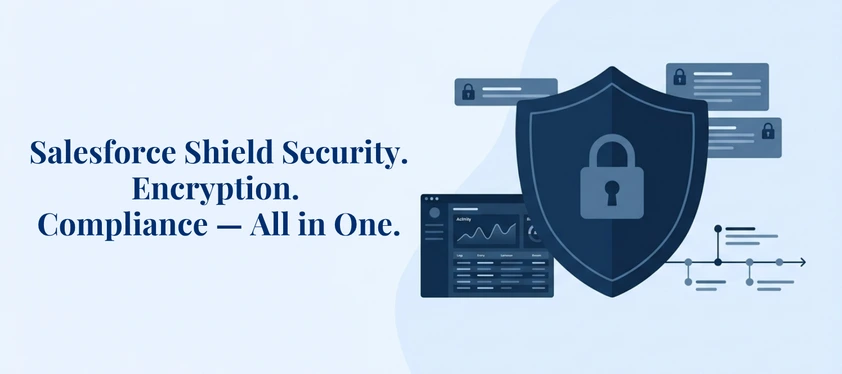
Data breaches are getting more expensive — and more inevitable. U.S. organizations now face an all-time high average breach cost of $10.22 million. For businesses running critical operations on Salesforce, that risk is not abstract — it lives inside every customer record, financial report, and sensitive field in your org. Standard Salesforce security handles the basics, but regulated industries and data-heavy environments demand more. That is where Salesforce Shield comes in — a powerful security suite designed to give organizations enterprise-grade encryption, real-time monitoring, and deep compliance capabilities, all within Salesforce.
This guide breaks down everything — what Salesforce Shield is, how each of its features works, how Salesforce Shield pricing works, how to implement Salesforce Shield, and the best practices that distinguish a solid Shield deployment from a compromised one.
What Is Salesforce Shield?
Salesforce Shield is a paid add-on security suite available for Salesforce Enterprise, Performance, and Unlimited Edition orgs. It is purpose-built for organizations that need more than standard platform security — particularly those operating in regulated industries or handling large volumes of sensitive data.
Salesforce Shield builds an additional layer on top of the standard Salesforce controls and provides a powerful suite of tools to strengthen organization-level access, compliance, and trust within the Salesforce ecosystem.
Where native Salesforce security handles authentication, role-based access, and basic encryption, Salesforce Shield goes further — giving organizations full control over encryption keys, real-time visibility into every user action, verified data change histories retained for up to a decade, and automated detection of sensitive data stored in the wrong places. If standard Salesforce security locks the doors, Salesforce Shield installs the vault, the surveillance system, and the evidence locker.
Key Salesforce Shield Features That Protect Your Data End-to-End
Salesforce Shield has four major components. They all cover a different aspect of data protection, and combined, they will protect your Salesforce org in a multilayered, holacratic way.
Salesforce Shield Platform Encryption: Keep Your Sensitive Data at Rest
The Salesforce Shield suite is based on Salesforce Shield Platform Encryption. It encrypts sensitive information in your org with AES-256-bit field-level encryption – a massive improvement over Classic Encryption, which ensures only a few custom fields.
Shield Platform Encryption also supports probabilistic encryption and deterministic encryption. Probabilistic encryption uses a randomization ignorance vector; hence, encrypting the same data with probabilistic encryption yields a different ciphertext. In deterministic encryption, ciphertexts are consistent, allowing them to be filtered and searched using an exact-match search.
This difference is actually operational. Deterministic encryption does not compromise security, and teams that require encrypted fields to be filtered, sorted, or reported, particularly those in finance and sales operations, can do so at no cost.
Salesforce Shield Platform Encryption also provides organizations with full control over the key lifecycle. Using Shield, you can either use Salesforce-managed encryption keys or upload your own with the BYOK (Bring Your Own Key) feature. Under BYOK, you can create and control your own tenant secret, further increasing security. BYOK supports connections to external key management systems, such as AWS KMS and Azure Key Vault, which are important in industries where key custody is a regulatory mandate.
One significant limitation to observe: not all types of fields are supported – some of the fields relying on formulas, long texts, and external identities are incapable of being encrypted. Salesforce Shield encryption settings should always be tested in a sandbox first before going into production.
Salesforce Shield Event Monitoring: See Every Action Across Your Org in Real Time
Most security incidents do not start with a dramatic breach — they begin with small, overlooked signals. Salesforce Shield Event Monitoring is designed to surface those signals before they escalate.
Event Monitoring allows users to track and audit performance, security, and usage data across all Salesforce apps. It provides access to 54 API-accessible event types, including API calls, logins and logouts, page loads, report exports, Apex executions, and user interactions. Salesforce provides Core Event Monitoring — basic logs of user activity and a limited audit trail — as standard. For organizations that need to be more proactive, Salesforce Shield ramps this up with Real-Time Event Monitoring, which provides visibility of user activity and system events as they happen.
Beyond passive logging, Salesforce Shield Event Monitoring enables automated action. Shield’s transaction security policies let you set up automatic responses to security events. You can create custom rules to trigger alerts and actions when specific activities occur — such as a user downloading a large volume of sensitive customer data outside of business hours.
Event log files can be streamed directly into SIEM platforms — including Splunk, Sumo Logic, and Elasticsearch — enabling correlated, cross-environment threat detection in a single centralized view.
Salesforce Shield Field Audit Trail: Build a Tamper-Proof Data History for Compliance
When regulators come knocking, you need evidence — not estimates. Salesforce Shield Field Audit Trail provides a verified, time-stamped record of every change made to the fields that matter most in your org.
Field Audit Trail upgrades the standard field history tracking functionality, providing an unaltered, verifiable audit log of data changes — recording old and new values, who made the change, and when. Salesforce Shield Field Audit Trail supports tracking up to 60 fields per object.
The retention capability is equally significant. Field Audit Trail enables a policy to retain archived history data for up to 10 years using the Salesforce Metadata API, and the tracking data does not count against your org data storage limit.
For organizations subject to GDPR, HIPAA, SOX, or FINRA, Salesforce Shield Field Audit Trail is not optional — it is the backbone of a defensible compliance posture.
Einstein Data Detect: Find Sensitive Data Before It Finds Trouble
You cannot safeguard information you are not aware of. Einstein Data Detect is included in Salesforce Shield and scans your org to find sensitive information that might be lurking in unprotected or poorly classified fields and that your existing security measures might miss.
Pattern matching in Einstein Data Detect categorizes sensitive data, such as credit card details, email addresses, IP addresses, social security numbers, and URLs, within your Salesforce org.
Rather than searching manually through records, Data Detect will provide a straight-up view of exactly what sensitive data you are storing and where. In the absence of this visibility, sensitive information might be exposed excessively or kept in an inappropriate location.
This is particularly important following massive data migrations, mergers of organisations, or periods of high growth, where sensitive information is regularly found in the wrong area, well beyond encryption policies and access controls.
Salesforce Shield Pricing: How the Cost Structure Works
Salesforce Shield is an add-on that is not covered by any standard Salesforce license. The pricing model of Salesforce Shield is a percentage fee on an enterprise’s overall net expenditure on Salesforce products, and enterprises can use a 30-day trial to determine which features they require.
Organizations may license the entire Salesforce Shield bundle, including all four constituent parts, or license and install Salesforce Shield Platform Encryption, Salesforce Shield Event Monitoring, or Salesforce Shield Field Audit Trail on an individual basis, depending on their security and compliance priorities.
As Salesforce Shield is priced based on your Salesforce edition, your organization’s size, and the modules included, the best estimate you can get is to call Salesforce directly or find a certified Salesforce consulting services partner to help evaluate your needs and negotiate the appropriate package.
Salesforce Shield Implementation Guide: Step-by-Step
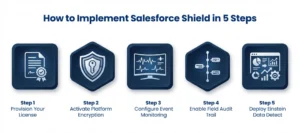
Salesforce Shield must be implemented in a phased manner. Hurrying the process – especially the encryption – may cause integrations to break, interrupt reporting, and cause gaps in compliance. Here is how to do it right.
Step 1: Provision Your Salesforce Shield License
Contact Salesforce to enable Salesforce Shield in your org. Choose between the full bundle or individual modules based on your security requirements. For Developer Edition orgs, Salesforce Shield Platform Encryption is available at no cost for testing.
Step 2: Activate Salesforce Shield Platform Encryption
- Navigate to Setup > Platform Encryption > Encrypt Fields
- Generate a tenant secret or configure BYOK via an external key management system
- Select fields to encrypt — prioritize PII, financial records, and health data
- Choose deterministic or probabilistic encryption based on whether the field requires filtering capability
- Test all encryption policies in a full-copy sandbox before production deployment
- Set up automated key rotation and document a key recovery process
Step 3: Configure Salesforce Shield Event Monitoring
- Go to Setup > Event Monitoring and enable logging for your priority event types
- Activate real-time logging for high-risk categories — logins, data exports, API usage
- Create Transaction Security Policies to automate responses to suspicious activity
- Stream event logs to your SIEM tool for cross-platform threat correlation
- Define escalation procedures and assign incident ownership to your security team
Step 4: Enable Salesforce Shield Field Audit Trail
- Navigate to Setup > Field Audit Trail and enable tracking on compliance-critical fields and objects
- Configure tracking for up to 60 fields per object
- Set retention policies aligned with your regulatory requirements — up to 10 years
- Use archived logs to build evidence trails for GDPR, SOX, HIPAA, or FINRA audits
Step 5: Deploy Einstein Data Detect
- Install the Data Detect managed package and define the scanning scope
- Review flagged sensitive data and remediated — move to encrypted fields or apply field-level security restrictions
- Incorporate findings into your ongoing data governance strategy
Salesforce Shield Limitations to Consider Before You Implement
Salesforce Shield is powerful, but understanding its limitations upfront prevents costly surprises during or after implementation:
- No built-in backup and recovery: Salesforce Shield protects and monitors data but does not restore it. A separate backup solution is essential for data recovery scenarios.
- Limited app coverage: Shield Platform Encryption now extends to Salesforce Data Cloud. Still, some widely used apps — including Einstein AI tools and Quip — aren’t supported, meaning data in these applications can’t be encrypted with Shield.
- Marketing Cloud Shield is a separate product: Standard Salesforce Shield does not apply to Marketing Cloud environments. Marketing Cloud Shield is a distinct offering that must be licensed separately.
- No metadata auditing: Salesforce Shield Field Audit Trail tracks data changes but doesn’t capture metadata changes, such as updates to workflows, validation rules, or custom objects.
- Implementation demands technical expertise: Implementing Salesforce Shield can be complex, may affect existing integrations, and requires thorough testing and modification. Engaging experienced Salesforce implementation services is strongly recommended.
Best Practices for Managing Salesforce Shield Effectively
Turning on Salesforce Shield is the starting point. Keeping it effective over time requires disciplined, ongoing management:
Encrypt Strategically
Not every field need encryption. Focus on Salesforce Shield Platform Encryption for data that poses a genuine regulatory or business risk. Encrypt broadly in the sandbox first, then tighten the scope based on impact.
Rotate Keys on a Defined Schedule
Salesforce Shield allows for automated key rotation, simplifying the process and maintaining encryption strength over time. Pair key rotation with strict access controls on who manages those keys.
Audit User Access Regularly
Ensure roles are assigned with the principle of least privilege — users should have only the access they need to perform their duties. Make access reviews a recurring process.
Integrate Event Monitoring With Your SIEM
Logs sitting in isolation are not security intelligence. Streaming Salesforce Shield event data into Splunk or a comparable SIEM creates correlated, actionable threat detection across your entire environment.
Run Data Detect Scans After Major Data Events
Post-migration, post-integration, and post-consolidation scans should be standard practice. Sensitive data in the wrong place is a liability — and Data Detect finds it fast.
Who Should Be Using Salesforce Shield?
Salesforce Shield is the right investment for organizations that:
- Operate in regulated industries — healthcare, financial services, retail, manufacturing, public sector — where HIPAA, SOX, GDPR, PCI-DSS, or FINRA compliance applies
- Handle significant volumes of PII, protected health information, or financial records within their Salesforce org
- Need a long-term, verifiable audit trail for regulatory investigations or legal proceedings
- Are scaling Salesforce usage across departments and need security governance to grow alongside the platform
- Are you leveraging Salesforce Data Cloud and need encryption coverage extended across unified data sources
Implement Salesforce Shield the Right Way With AnavClouds Software Solutions
Salesforce Shield is only as effective as the team implementing it. Misconfigured encryption breaks workflows. Gaps in the Field Audit Trail leave compliance exposure. Event Monitoring without proper escalation pathways generates noise rather than insight.
At AnavClouds Software Solutions, we specialize in building secure, compliant Salesforce environments that withstand real-world regulatory scrutiny. As a Salesforce Silver Consulting Partner, our certified team delivers end-to-end Salesforce implementation, development, and consulting services — with deep experience configuring Salesforce Shield for organizations across healthcare, finance, retail, and manufacturing.
From license provisioning and encryption policy design to SIEM integration and ongoing access governance, we handle the complexity — so you can operate your Salesforce org with confidence.
Frequently Asked Questions
What is Salesforce Shield?
Salesforce Shield is an upgraded security package that incorporates Platform Encryption, Event Monitoring, Field Audit Trail, and Einstein Data Detect in Salesforce. It adds on top of security features native to the platform that enterprises with high compliance and data protection needs require.
What does Salesforce Shield Platform Encryption do?
The Salesforce Shield Platform Encryption uses AES-256-bit field-level encryption of sensitive data at rest. It facilitates BYOK key management as well as deterministic or probabilistic encryption, thereby allowing the organization to have complete authority over the method and location of data encryption.
What is Salesforce Shield Field Audit Trail used for?
Salesforce Shield Field Audit Trail offers an immutable, time-stamped change History of tracked fields – capturing old values, new values, timestamps, and the user who performed the change. Information has a memory of up to 10 years, which helps with long-term compliance with regulatory requirements.
Does Salesforce Shield include Marketing Cloud?
No. Marketing Cloud Shield is an independent product. Standard Salesforce Shield is only applicable to core platform orgs.
How does Salesforce Shield pricing work?
The price of Salesforce Shield depends on the percentage of total Salesforce net spend. The cost will vary depending on the edition, the size of the organization, and the modules you choose. Call Salesforce or a Salesforce consulting services partner to get a quote.
Search Posts
Popular Posts
Author profile: Saransh Maurya, Content Writer at AnavClouds Software Solutions
Saransh
Maurya
About the author
Saransh Maurya is a dynamic and results-driven professional with a passion for innovation and problem-solving. Known for his analytical mindset and attention to detail, he excels at delivering high-quality solutions that drive business growth and operational efficiency. With strong communication skills and a collaborative approach, Saransh effectively bridges ideas and execution, contributing to successful projects and meaningful outcomes across diverse domains.
Recent Posts