
Salesforce Shopify Integration: Stop the Data Chaos
Running a Shopify store and managing customer relationships in Salesforce are two different things — until they’re not. When these two platforms are siloed, businesses are faced with slow order updates, disjointed customer records, and teams in a state of perpetual information search rather than acting. That’s a costly gap, especially in 2026’s hyper-competitive eCommerce environment. Salesforce Shopify integration seals that divide by providing the cohesive flow of data between your front office and your CRM – making smarter decisions, workflows speedier, and the customer experience scalable. This guide will show you all you have to know to make that happen.
Why Salesforce Shopify Integration Is No Longer Optional
Shopify isn’t a small player. The platform manages approximately 10% of the global eCommerce software market and dominates the U.S. market with a market commanding 30% share – operating more than 5.5 million active stores in 175 countries. With this scale, the amount of customer data, orders, and inventory events that pass through a typical Shopify store is substantial. With the absence of a proper Salesforce Shopify integration, the latter data will hardly reach the corresponding teams at the appropriate time.
The result? Follow-ups by sales reps are context-free. The tickets are answered blindly by support agents. Marketing campaigns go out to the wrong segments. Having these is not a mere headache in operations but a revenue leakage.
Shopify Salesforce integration is the solution to this because it provides a bi-directional, real-time data connection between the two platforms. All orders, customer records, and product updates are automatically synchronized and provide each team with a single source of truth.
The difference between 2026 and now is that businesses do not only question whether they need to integrate, but also how to do it right. Salesforce integrations 2026 demand has evolved much more than simple plug-and-play connectors. The Salesforce Shopify integration is now expected to have custom logic, scalability, and airtight security on the first day. Part of the reason why businesses on platforms such as Salesforce Commerce Cloud require their eCommerce data to be seamlessly integrated with the rest of the Salesforce ecosystem is that that is what a properly implemented Shopify Salesforce integration can provide.
What Salesforce Shopify Integration Actually Does
The fundamental idea behind Salesforce Shopify integration is to make your Shopify storefront interconnected with Salesforce CRM so that the information flows automatically between the two systems. When a customer makes a purchase using Shopify, the information, such as customer details, order line items, payment status, and shipping information, is automatically transferred to Salesforce with no manual intervention.
This is also the reverse. Pushes on Salesforce, including edits to the contact record of a customer or product price, can be automatically reflected on Shopify, depending on your settings.
The following are what are connected when Salesforce is integrated with Shopify:
- Customer records — Shopify customer records associated with Salesforce Contacts or Leads.
- Orders Shopify orders are Salesforce Opportunities or Order objects.
- Products and inventory – Product inventory and product catalogue remain in sync with both platforms.
- Marketing data — Purchase behavior from Shopify feeds Salesforce Marketing Cloud for targeted campaigns
- Support data — Order history is visible in Service Cloud to speed up the case resolution process.
The final product is the interwoven business where commercial and relationship management functions as a unit. This is the actual hope of Salesforce eCommerce integration, not merely transferring information, but enabling that information to be used by all of the teams that meet the customer journey.
Key Business Benefits of Shopify Salesforce Integration
It is always good to know what you are unlocking before deciding on the method. The following are the main advantages that make Salesforce Shopify integration worth the investment:
Unified Customer View
All customer interactions, including the initial purchase in Shopify and a support ticket, are stored in a single place. The sales and support teams do not have to switch between tools to know who they are talking to.
Automated Order Management
Shopify orders are automatically sent to Salesforce, eliminating the need to enter data manually and minimizing the possibility of mistakes. Without leaving the CRM, teams will be able to monitor fulfillment status, flag high-value accounts, and initiate follow-up actions.
Real-Time Inventory Sync
Salesforce is updated on inventory levels in real time when Shopify makes a sale. This eliminates overselling, maintains the accuracy of warehouse planning, and always displays accurate availability to customers.
Smarter Marketing Campaigns
By integrating Shopify with Salesforce, marketing departments can have access to real-life purchase behavior, including what, when, and how frequently, and how much buyers purchased. This sharpens campaign segmentation, and ROI is measurably improved.
Salesforce Risk Reduction
One underappreciated benefit of a well-architected integration is Salesforce risk reduction. Automatic data flow rather than manual processes reduce the likelihood of human error, redundancies, or missed updates to a minimum. It implies that there are reduced compliance concerns, cleaner reporting data, and reduced team-to-team firefighting.
Scalability without the Chaos
The Salesforce Shopify integration can expand with you as the order volumes increase. Companies that manage several Shopify storefronts can keep all the data in one Salesforce org and keep their operations clean without increasing the number of employees accordingly.
Three Methods to Integrate Salesforce with Shopify
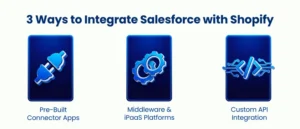
No universal solution can be found. The appropriate approach depends on your team in terms of technical capability, complexity of data, and the extent to which your workflows require customization.
Pre-Built Connector Apps
Ready-to-use integrations between Salesforce and Shopify can be found in apps on Salesforce AppExchange and the Shopify App Store, including eShopSync, CRM Perks, and Sync Made Easy. The solutions are plug-and-play and are used to deal with typical Salesforce Shopify integration requirements: customer sync, order sync, product sync, and bi-directional updates.
Best used: Small to mid-sized enterprises with typical data flows, and those with limited in-house development capabilities.
What to be aware of: These applications are quick to implement and do not involve coding. But there are restrictions on them. The use of custom objects, complex field mappings, and high-volume syncs can easily push these tools to the limit. The cost of subscription also increases with usage; what may have appeared cheap at the outset may be indicated to be expensive as the business expands.
iPaaS and Middleware
Middleware applications such as MuleSoft, Zapier, Workato, and Boomi are placed between Salesforce and Shopify, and they translate data between the two. These are especially helpful when your Salesforce Shopify integration requires multiple systems – such as in cases where you also require integration with an ERP or marketing automation platform.
Best fits: Mid-market enterprise companies requiring multi-system integration or those teams who favor visual, low-code workflow builders.
What to know: MuleSoft, as a Salesforce-owned platform, makes sense in business organizations already ingrained in the Salesforce ecosystem. Zapier is affordable in smaller applications, but it might get expensive as it increases in scale. Middleware, as a Salesforce integration services methodology, is potent – but introduces an extra level of complexity that must be monitored and maintained.
Custom API Integration
A Salesforce Shopify API integration developed in-house is most flexible for a business with sophisticated needs that cannot be met by any off-the-shelf tool. This includes connecting Shopify to Salesforce via REST or GraphQL API and Salesforce to REST, SOAP, or Bulk API.
The way you do things, like map Shopify orders to custom Salesforce objects, use real-time webhook handlers to execute workflows, or use multiple Shopify stores with a single Salesforce instance and apply business-specific logic on each step.
Best use: Companies with distinct workflows, highly customized Salesforce orgs, or Shopify Plus setups where they need the entire integration under their control.
What to be aware of: This methodology needs knowledgeable Salesforce development services, developers who are knowledgeable of the APIs of both platforms, can manage rate limits, and can design in a manner that will be maintainable over the long term. The outcome is a Salesforce Shopify integration that is designed based on how your business operates rather than vice versa.
Salesforce Shopify Integration: Step-by-Step Overview
No matter what method you use, the Salesforce Shopify integration process has a standard structure. This is how it usually works out:
Step 1 – Specify Your Data Scope
Determine what data objects must be synchronized between Salesforce and Shopify. Orders? Customers? Products? All three? And choose whether you should use a one-way or bi-directional sync, and the frequency thereof – real-time using webhooks or a schedule-based batch.
Step 2 — Set Up Authentication
Connect Salesforce and Shopify. This includes the creation of API credentials, OAuth authentication, and providing the integration with the appropriate permissions to access and write data on both sides. Your compliance posture downstream is directly dependent upon security at this stage.
Step 3 – Map Your Fields
It is here that most teams are wasting the bulk of their time. The data model of Salesforce does not necessarily match the data model of Shopify. You will need to specify the precise mapping of each Shopify field to a Salesforce field – e.g., the customer_email of a Shopify customer will map to the Contact Email field on your Salesforce Order object, or the order_id will map to a Salesforce field that you will have on your Order object.
Step 4 — Set up Event Triggers
Choose what events in Salesforce should be initiated by Shopify events. Common triggers include:
- Create an Opportunity in Salesforce or update an Order created.
- Customer registered → Form a new Contact or Lead.
- Order fulfilled → Change order status and start follow-up task.
- Product updated → Sync to Salesforce product catalog.
Step 5 – Before Going Live
Test the integration on a small, limited dataset. Test edge cases – duplicate emails, guest checkouts, partially fulfilled orders. Error check sync logs, ensure field mappings are landing successfully, and data appears correct in Salesforce and Shopify before opening the floodgates.
Step 6 — Monitor and Maintain
Integration is not a do it and leaves it process. Any API changes on either platform, Salesforce object schema changes, or business process changes can affect your Salesforce Shopify integration. Establish a monitoring schedule — periodically monitor logs, deploy error notifications, and make sure that there is a technical owner of the integration.
Real-World Use Cases That Drive ROI
Understanding Salesforce Shopify integration in the abstract is one thing — seeing how it plays out in practice is another.
Abandoned Cart Recovery at Scale
When Shopify identifies a cart abandonment event, that data can flow into Salesforce Marketing Cloud and trigger a personalized email or SMS sequence within minutes — not hours. That speed matters because recovery likelihood drops significantly the longer you wait.
High-Value Customer Identification
By syncing Shopify purchase history into Salesforce, sales teams can flag accounts that have crossed a lifetime value threshold and route them to a dedicated account manager — automatically. No manual reporting is required.
Cross-Sell and Upsell Automation
With purchase data in Salesforce, teams can build triggers that automatically create follow-up tasks or enroll customers in nurture journeys based on what they bought. A customer who purchased in category A gets a timely, relevant offer for category B.
Multi-Store Reporting
For businesses running multiple Shopify storefronts — across regions or brands — Shopify Salesforce integration centralizes all customer and order data into one Salesforce org, giving leadership a clean, consolidated view of performance without logging into each store separately. This is especially valuable for teams leveraging Salesforce Commerce Cloud alongside multiple regional storefronts.
Conclusion
Salesforce Shopify integration isn’t just a technical project — it’s a strategic decision that directly impacts how well your business can serve customers, move fast on data, and scale without friction. When your eCommerce and CRM platforms work together, every team operates with better context, fewer manual steps, and greater confidence in the data they’re acting on. Whether you’re just starting to explore the idea or ready to move forward with implementation, getting the architecture right from the beginning makes all the difference. At AnavClouds Software Solutions, we specialize in building Salesforce integrations designed for how your business works — not just how the documentation says it should.
Frequently Asked Questions
Does Shopify integrate directly with Salesforce?
Yes, but not native. Shopify Salesforce integration can be done via AppExchange connector apps, middleware such as MuleSoft or Zapier, or a custom API integration developed by a Salesforce consulting partner.
What data can be synced between Shopify and Salesforce?
With Salesforce and the integration process and settings of field mapping, you can integrate Shopify data such as customer profiles, orders, products, inventory, payment data, refunds, and abandoned cart events.
Is Salesforce Shopify integration secure?
Yes, when properly set up. Secure Salesforce Shopify integration involves OAuth authentication, encrypted transfers, and API access via tokens to ensure that customer data remains secure and compliant across.
How long does a Salesforce Shopify integration take to set up?
Timelines: connector apps can be done within hours, middleware deployments require days to weeks, and a complete Salesforce Shopify API integration in complex enterprise settings can take weeks with a development partner.
Search Posts
Popular Posts
Author profile: Saransh Maurya, Content Writer at AnavClouds Software Solutions
Saransh
Maurya
About the author
Saransh Maurya is a dynamic and results-driven professional with a passion for innovation and problem-solving. Known for his analytical mindset and attention to detail, he excels at delivering high-quality solutions that drive business growth and operational efficiency. With strong communication skills and a collaborative approach, Saransh effectively bridges ideas and execution, contributing to successful projects and meaningful outcomes across diverse domains.
Recent Posts