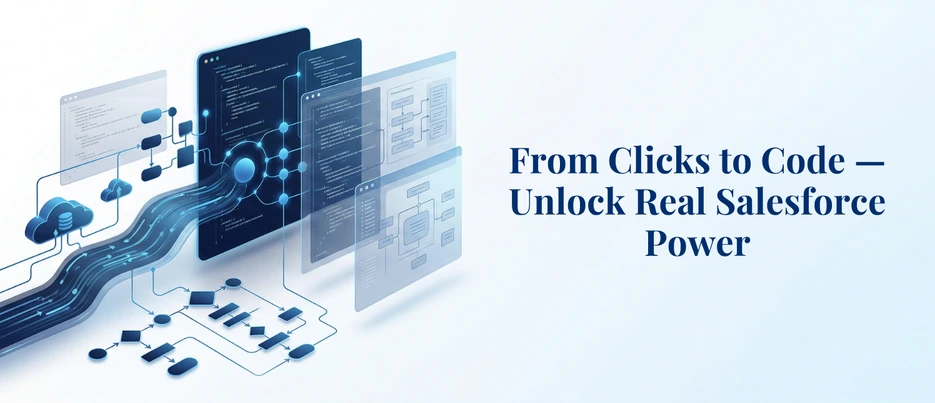
Beyond Flow: A Business Guide to Salesforce Apex Development
Here is something most Salesforce users figure out eventually — the platform is powerful, but it has a ceiling. You start with the standard setup, things work well, and then one day a requirement lands on your desk that no flow, no validation rule, and no point-and-click tool can handle. Maybe your pricing logic is too layered, maybe you need two systems talking to each other in real time, or maybe your approval chain is just too complex for what Salesforce offers by default.
This is not a failure of the platform — it is just where Salesforce Apex development picks up. Apex is Salesforce’s own programming language, built to run natively on the platform and handle exactly the kind of complexity that standard tools are not designed for. If you are trying to understand what Apex is, whether you need it, and what working with it looks like, this guide covers it all.
What Is Salesforce Apex Development — And What Can It Actually Do for Your Business?
Apex is a strongly typed, object-oriented programming language that runs natively on the Salesforce platform. Unlike general-purpose languages, it is built specifically to interact with Salesforce data, execute business logic, and respond to platform events — all within Salesforce’s own infrastructure.
What that means practically is that your custom code lives inside Salesforce, follows its security model, respects its data structure, and scales with your org. There is no external server to manage, no separate deployment environment to maintain — Salesforce Apex development fits right inside the platform you are already running your business on.
For business owners and decision-makers, the more relevant question is not what Apex is technically — it is what it unlocks. Standard Salesforce tools like Flow Builder and validation rules work well within defined boundaries. The moment your requirement crosses those boundaries — complex multi-object logic, high-volume data processing, real-time connections to outside systems — those tools start showing their limits. Salesforce Apex development is what picks up from there.
By 2026, 80% of technology products will be built by non-technical professionals — which makes custom development layers like Salesforce Apex development even more critical for businesses that need logic and automation tailored precisely to how they operate, not how a default setup assumes they do.
What Apex Can Do That Clicks-Not-Code Tools Cannot
Salesforce’s low-code tools are genuinely impressive for standard use cases. But there is a ceiling — and growing businesses hit it faster than they expect.
Here is what Salesforce Apex development enables that clicks-not-code tools simply cannot replicate:
Complex Business Logic
Flow Builder handles linear logic well. But when your process involves multiple conditional branches, cross-object calculations, or logic that depends on real-time external data, you need Apex. Salesforce Apex development allows developers to write precise, layered logic that mirrors exactly how your business operates — not a simplified version of it.
Batch Processing at Scale
Need to update 500,000 records overnight? Or run a nightly data cleanup across your entire database? Batch Apex makes this possible. It processes large volumes of records in chunks, keeping operations within Salesforce’s performance boundaries while still getting the job done efficiently. This is one of the most powerful capabilities of Salesforce Apex development for enterprise teams.
External API Calls and Salesforce Apex Integration
Real businesses do not run on Salesforce alone. ERP systems, payment gateways, marketing platforms, shipping APIs — your Salesforce instance needs to talk to all of them. Salesforce Apex integration allows developers to make outbound HTTP callouts to external systems, pull in live data, and push updates in real time. This level of Apex API integration is what powers truly connected business operations.
Custom Security and Access Logic
Standard Salesforce sharing rules cover most scenarios. But for organizations with complex hierarchies, territory management, or compliance requirements, Salesforce Apex development allows for programmatic sharing — giving developers full control over who sees what and when.
Real-World Salesforce Apex Development Use Cases That Solve Actual Business Problems
The best way to understand what Salesforce Apex development really does is to look at where businesses use it — not in theory, but in practice.
Automated Lead Assignment That Actually Reflects Your Sales Process
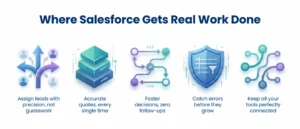
Out-of-the-box lead assignment rules are fine when your logic is simple. But most sales teams do not operate on simple logic. When leads need to be routed based on rep workload, deal size, product line, geographic territory, or some combination of all of the above — that is where Apex steps in. Salesforce Apex development lets you build a routing engine that mirrors your actual sales process, not a stripped-down version of it.
Custom Pricing Calculations Built for Your Business Model
For companies dealing with tiered pricing, volume discounts, or contract-specific rates, getting a quote right matter — and getting it wrong costs deals. Flow Builder cannot handle the kind of multi-variable pricing logic that most B2B businesses run on. Salesforce Apex development makes it possible to build a real-time pricing engine that pulls the right numbers every time, without manual intervention.
Approval Workflows That Do Not Need a Human to Chase Them
Multi-level approvals with escalation timers, conditional routing across departments, and automatic notifications when someone misses a deadline — standard approval processes in Salesforce handle basic versions of this. Salesforce automation with Apex handles the real ones. When the approval chain involves five stakeholders across three teams and a 48-hour SLA, you need something more than a default workflow.
Data Validation That Catches What Standard Rules Miss
Sometimes a validation rule needs to check a value on a related record, pull data from an external source, or evaluate a condition that involves historical records. Standard validation rules cannot do any of that. Salesforce Apex development runs custom validation logic before records are saved — catching errors at the source instead of letting them compound downstream.
Salesforce Apex Integration With External Systems
No business runs on Salesforce alone. Whether it is syncing order data with an ERP, pushing updates to a third-party logistics platform, or pulling real-time inventory from a warehouse system — Salesforce Apex integration handles these connections through HTTP callouts. This is where Apex API integration becomes critical for businesses that need their tools to actually talk to each other.
Apex Triggers vs. Flow Builder: The Salesforce Apex Development Decision You Need to Get Right
This is one of the most debated topics in Salesforce Apex development — and getting it wrong in either direction costs you. Build everything in Apex when Flow would have worked fine, and you have over-engineered something that is now hard to maintain. Rely on Flow when you actually needed Apex, and you end up with a fragile workaround that breaks at scale.
Here is a straightforward way to think about it:
Apex triggers in Salesforce fire before or after data events — inserts, updates, deletes, undeletes — giving developers precise control at each stage of a record lifecycle. When they are built properly, with handler classes and clear separation of logic, Apex triggers Salesforce implementations that are clean, easy to test, and built to scale.
The rules most experienced teams follow reach for Flow first. If you find yourself working around Flow’s limitations rather than working with them, that is the signal to bring in Salesforce Apex development.
How Salesforce Apex Development Actually Works — From First Requirement to Final Deployment
People tend to imagine development as something that happens behind a closed door — you hand over a requirement and eventually get working software back. The reality is messier, more collaborative, and honestly more interesting than that. Here is what a real Salesforce Apex development process looks like:
Step 1: Requirement Gathering — Getting the Brief Right
Everything starts here, and this step carries more weight than most people realize. Before any Apex coding in Salesforce begins, the requirement needs to be mapped out properly — edge cases, data touchpoints, volume expectations, and any outside systems involved. A half-baked brief almost always turns into a rework conversation three weeks later.
Step 2: Development in Sandbox — Never Touch Production
All Salesforce Apex development happens in a sandbox first — a separate environment that mirrors your live org without putting real data at risk. Any team building directly in production is taking a shortcut that will eventually cost more than the time it saved.
Step 3: Unit Testing — More Than Just Hitting 75%
Writing tests just to hit that number is not the same as actually testing the solution. Good Salesforce Apex development means testing real scenarios, bulk operations, and the cases where things go wrong — not just the ones where everything works perfectly.
Step 4: Code Review — A Second Set of Eyes
Before the code moves anywhere, a second developer looks at it. Not to nitpick, but to catch things the first pass missed — logic gaps, security issues, anything that might hold up fine today but cause problems when data volumes increase. This step gets dropped under deadline pressure more than it should, and that is usually where Salesforce custom development starts accumulating debt.
Step 5: User Acceptance Testing — Let the Business Verify
Stakeholders test the solution in a staging environment before it goes anywhere near production. This is where the gap between what was asked and what was built shows up — and catching it here is infinitely better than catching it after go-live.
Step 6: Deployment — Controlled, Documented, Repeatable
The code moves to production through a structured process — Salesforce DX, Change Sets, or a CI/CD pipeline depending on the team setup. A clean deployment process is part of what separates Salesforce development services that hold up long-term from ones that become a maintenance headache six months in.
Code Coverage Requirements and Testing Best Practices
Salesforce requires a minimum of 75% code coverage across all Apex code before any deployment to production. But experienced teams in Salesforce Apex development treat this as a floor, not a target.
Best practices for Apex testing include:
- Test real scenarios, not just lines — coverage that does not test actual business logic is not useful coverage
- Use @isTest annotations to keep test classes separate from production code
- Test bulk scenarios — always test with 200 records, not just one
- Test negative cases — what happens when invalid data is passed? Your tests should cover this
- Avoid using SeeAllData=true — tests should create their own data to remain environment-independent
- Mock external callouts — use mock frameworks for any Apex API integration tests so they do not depend on live systems
Strong test coverage is not bureaucracy — it is what makes Salesforce Apex development reliable enough to build a business on.
When You Need Apex vs. When Low-Code Is Sufficient
Not every requirement calls for Salesforce Apex development — and a good consultant will tell you honestly.
Choose low-code (Flow, validation rules, formula fields) when:
- The logic is linear and involves a single object
- You need quick iterations without a deployment cycle
- The process does not involve large data volumes
- No external system integration is required
Choose Salesforce Apex development when:
- Logic is complex, conditional, or spans multiple objects
- You need to process large volumes of records efficiently
- External API calls are part of the requirement
- Custom security or programmatic sharing is needed
- Standard tools have been exhausted and workarounds are getting messy
The goal is always to use the simplest tool that solves the problem well. Salesforce Apex development is powerful — but power used unnecessarily creates complexity that your team will have to maintain long after the project ends.
Conclusion
Salesforce Apex development is not something every business needs from day one — but for organizations that have outgrown standard configuration, it is what makes Salesforce work the way the business does. From handling complex logic and bulk data to enabling real-time Salesforce integration services, Apex gives you the flexibility that point-and-click tools simply cannot match. Whether you are just starting to explore custom development or looking to scale what you already have, the right expertise makes all the difference. AnavClouds Software Solutions has the certified Salesforce professionals and the hands-on experience to build Apex solutions that are clean, scalable, and built to last.
FAQs
What is Salesforce Apex development?
It is how businesses build custom logic on Salesforce — things the standard tools cannot do on their own, like complex automations, bulk data processing, or connecting Salesforce to an external system.
When should a business consider Salesforce Apex development?
Honestly, when the workarounds start piling up. If your team is constantly bending Flow Builder to fit a requirement it was not built for, that is usually the sign that Apex is the better path.
Is Apex only for large enterprises?
No — company size has nothing to do with it. If your processes are complex enough that standard Salesforce tools keep falling short, Salesforce Apex development is worth exploring regardless of how big your business is.
How long does Salesforce Apex development typically take?
Depends entirely on what you are building. Something straightforward like a single trigger might wrap up in a few days. A full integration or multi-object workflow with testing and deployment can take several weeks.
Search Posts
Popular Posts
Author profile: Saransh Maurya, Content Writer at AnavClouds Software Solutions
Saransh
Maurya
About the author
Saransh Maurya is a dynamic and results-driven professional with a passion for innovation and problem-solving. Known for his analytical mindset and attention to detail, he excels at delivering high-quality solutions that drive business growth and operational efficiency. With strong communication skills and a collaborative approach, Saransh effectively bridges ideas and execution, contributing to successful projects and meaningful outcomes across diverse domains.
Recent Posts