
Top Salesforce Customization Challenges to Watch in 2026
Salesforce customization has advanced rapidly in 2026, especially with AI adoption and workflow automation becoming central to enterprise operations. However, organizations still struggle to handle execution risks, complex governance, and multi-layer automation failures. The Top Salesforce customization challenges today involve system reliability, orchestration visibility, deployment risks, and decision accuracy. These issues intensify when workflows cross traditional automation boundaries and when organizations push applications beyond Salesforce Agentforce limits.
Teams planning automation upgrades must understand these risk points to reduce operational losses, secure compliance, increase transparency, and scale execution frameworks safely. This guide highlights the Top Salesforce customization challenges enterprises face today, along with proven strategies aligned with modern automation environments.
Top Salesforce Customization Complexity in 2026
The Top Salesforce customization challenges often emerge when organizations implement deeper automation patterns, AI-generated execution routing, and interconnected process sequencing. Many businesses bypass validation, introduce duplicated automation, or integrate event-based triggers without structured mapping. When systems operate this way, visibility drops, processing windows shrink, and Salesforce Agentforce limits surface more frequently.
The most visible symptoms include:
Rapid AI integration pressure without risk alignment
Businesses adopt predictive execution faster than their validation process. As a result, automated decisions run on unverified data models, triggering errors, incorrect routing, and elevated review cycles.
Workflow sequencing conflicts that force execution collisions
Multiple flows often run parallel, processing the same records using different rules. This generates conflicting updates, repeated triggers, and unresolved processing states.
Limited operational monitoring leading to invisible failures
Teams deploy flows without real-time tracking. When errors occur in background execution, users cannot trace event origin, causing delays, escalations, and extended root-cause cycles.
Agent-based execution pathways without prioritization logic
AI-driven agents manage routing, classification, and approvals. Without structured hierarchies, these decision chains overlap, creating unpredictable outcomes and limit-based execution failures.
Platform boundary saturation caused by excessive workflow density
Too many flows on the same object reduce memory windows and shrink process-execution time. This directly elevates the risk of failure points associated with Salesforce Agentforce limits.
Top Salesforce Customization Challenges in 2026
Scaling Salesforce workflows comes with several structural hurdles. The Top Salesforce customization challenges often impact efficiency, execution accuracy, and adoption rates. Many of these challenges directly involve Salesforce Agentforce limits, AI integration issues, and workflow orchestration conflicts. Addressing them proactively ensures smoother deployments, reliable automation, and predictable business outcomes.
Automation Scaling Triggering Limit-Based Shutdowns
A common Top Salesforce customization challenge occurs when enterprises expand automation without structured load distribution. Overlapping execution cycles trigger Salesforce Agentforce limits, causing halted processes and incomplete records. High concurrency without phased evaluation leads to inconsistent outputs and failed automation goals.
Solution
Segment automation into controlled stages. Introduce phased evaluation windows, layered checkpoints, and time-based throttling to prevent system overload.
Flow Dependencies Without End-to-End Visibility
Complex flow chains remain one of the biggest Top Salesforce customization challenges. Without end-to-end visibility, execution becomes circular, incomplete, or untraceable. Dependencies can collide, triggering workflow errors, repeated triggers, or blocked automation, impacting business efficiency.
Solution
Design a layered flow architecture. Use structured sequencing guides and maintain version logs for every rule-level decision. Visualize execution paths for easier monitoring.
Inconsistent Adoption of AI-Driven Transactions
AI adoption and workflow automation often start without validation. This creates inaccurate record mapping, failed approvals, and unpredictable outcomes. These issues are among the Top Salesforce customization challenges and increase the risk of hitting Salesforce Agentforce limits during high-volume processing.
Solution
Trigger AI-based routing only after full input validation. Standardize prediction confirmation cycles and ensure workflows execute with verified data.
Weak Governance Around AI Risk Management
Insufficient governance is a critical Top Salesforce customization challenge. AI-driven decision-making, conflict routing, and score-based allocations often occur without accountability tracking, increasing operational risk.
Solution
Implement clear rule visibility. Track model decisions and document scoring criteria. Use governance checkpoints to prevent failures and reduce AI risk management for Salesforce concerns.
Execution-Level Challenges in Agentforce-Based Flow Orchestration
Agentforce flows add intelligence but introduce complexity. Without a structured layout, multi-branch outcomes fail, processing accuracy drops, and workflows underperform. This is a top challenge for businesses pushing limits on Salesforce Agentforce limits.
Solution
Create layered execution maps. Maintain centralized logic references and implement accessible documentation to guide agent-driven flows efficiently.
Deployment Fragility Between Sandbox and Production
Deployment failures remain one of the Top Salesforce customization challenges. Workflows that succeed in testing often fail in production due to environmental differences, triggering delays and operational errors.
Solution
Run identical simulation cycles across environments. Deploy staged policies, monitor execution gaps, and record discrepancies before full activation.
Over-Automation and Lateral Workflow Competition
Multiple overlapping workflows performing similar tasks create execution collisions. Over-automation stresses system resources, increases Salesforce Agentforce limits, breaches, and reduces workflow reliability.
Solution
Merge redundant workflows. Prioritize execution paths, anchor decision policies, and limit multi-path processing to prevent collisions and failures.
User Adoption Challenges Due to Minimal Path Visibility
When execution pathways are opaque, users struggle with adoption. Lack of visibility increases support requests and delays corrective actions, a key Top Salesforce customization challenge.
Solution
Deploy workflow visualization dashboards. Provide traceable confirmation layers, prompts, and branch summaries to enhance adoption and operational clarity.
Error Queues Managed Without Lifecycle Conditioning
Recurring errors are a major Top Salesforce customization challenge. Without proper classification and retry sequencing, execution loops persist, memory cycles degrade, and automated processes fail repeatedly.
Solution
Classify error origins. Automate retry cycles. Create rule-specific reprocessing logic to ensure efficient error recovery and reduce Salesforce Agentforce limits triggers.
Limit-Driven Failures Under Integrated Execution Models
High-volume triggers, parallel API calls, and multiple automation flows often hit Salesforce Agentforce limits, causing routing failures and delayed event processing. This is one of the most critical Top Salesforce customization challenges.
Solution
Throttle inbound triggers. Assign dedicated integration windows. Separate synchronous and asynchronous runs to stabilize execution and prevent system overload.
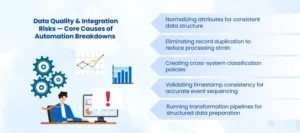
Data Quality & Integration Risks — Core Causes of Automation Breakdowns
Poorly indexed fields, inconsistent attributes, and fragmented system relationships remain a major contributor to the Top Salesforce customization challenges. When data integrity is low, advanced workflows repeatedly re-evaluate the same records, increasing processing load and causing unexpected failures. This frequently triggers Salesforce Agentforce limits, slowing automation and reducing execution reliability.
A robust optimization strategy involves:
Normalizing attributes for consistent data structure
Standardizing field formats across objects prevents conflicts in workflow evaluation and ensures AI-driven automation executes accurately.
Eliminating record duplication to reduce processing strain
Duplicate records trigger repeated workflow runs, inflate evaluation cycles, and increase the likelihood of hitting Salesforce Agentforce limits.
Creating cross-system classification policies
Unified classification rules across integrated platforms prevent mismatched records and support seamless automation across multiple environments.
Validating timestamp consistency for accurate event sequencing
Ensuring all records follow consistent date and time formats avoids delays, failed triggers, and misaligned agent-based workflow routing.
Running transformation pipelines for structured data preparation
Pre-processing data before workflows execute enhances system efficiency, reduces errors, and improves traceability for AI-driven tasks.
High-integrity data strengthens automation frameworks, reduces escalation cycles, and ensures workflows scale effectively without exceeding Salesforce Agentforce limits. Addressing these data and integration risks is essential to overcoming the Top Salesforce customization challenges and achieving reliable, agent-driven execution.
When Workflow Density Breaks Structural Stability
One of the most persistent Top Salesforce customization challenges is excessive workflow density per object. When multiple policies, triggers, flows, and event handlers execute simultaneously, decision windows shrink, processing delays increase, and escalation frequency rises. High workflow density not only strains system performance but also triggers Salesforce Agentforce limits, causing interruptions and reducing automation reliability.
Organizations can regain structural stability and improve execution performance by applying the following strategies:
Reduce parallel decision paths
Minimizing overlapping workflows prevents execution collisions and reduces unnecessary resource consumption. This ensures smoother automation and fewer failures related to Salesforce Agentforce limits.
Consolidate redundant logic
Merging duplicate flows and repeated rules eliminates conflicting actions and simplifies orchestration. Streamlined logic enhances operational clarity and supports scalable automation.
Apply controlled concurrency throttles
Throttling concurrent executions prevents overloading evaluation queues. It balances load distribution across workflows and mitigates the risk of limit-driven failures.
Segment execution groups
Dividing workflows into dedicated execution lanes ensures that high-priority tasks run independently of less critical processes. This approach maintains stability, reduces delays, and supports agent-based orchestration.
Implementing these strategies strengthens workflow architecture, increases system responsiveness, and mitigates the Top Salesforce customization challenges associated with high-density automation. It also reduces the likelihood of hitting Salesforce Agentforce limits, allowing organizations to scale automation safely and reliably.
Final Thoughts
The Top Salesforce customization challenges in 2026 are deeply rooted in execution intensity, fragmented orchestration logic, unstable deployment pathways, and unvalidated data inputs. As automation accelerates, organizations must adopt structured validation cycles, stronger governance, and purposeful sequencing strategies to reduce limit-based failures.
Enterprises operating beyond standard workflow boundaries require stable execution planning, controlled load allocation, and clear visibility across end-to-end decision points. When businesses need long-term support, trusted Salesforce development services help standardize automation policies, design limit-safe structures, and maintain full execution transparency.
AnavClouds Software Solutions enables organizations to overcome customization gaps, streamline execution, and scale automation frameworks responsibly—ensuring accuracy, compliance, and sustained operational clarity.
Frequently Asked Questions
What are the top Salesforce customization challenges in 2026?
Challenges include automation scaling, complex flows, data quality issues, over-automation, and deployment failures. They impact efficiency and workflow reliability.
How do Salesforce Agentforce limits affect workflows?
Agentforce limits restrict concurrent automations and execution cycles. Exceeding these limits can cause workflow failures, delays, or incomplete processes.
How can data quality issues be fixed in Salesforce workflows?
Normalize attributes, remove duplicates, enforce classification rules, and validate timestamps. Clean data ensures reliable automation and reduces errors.
How can companies prevent automation from breaking system stability?
Reduce overlapping workflows, consolidate logic, throttle concurrent executions, and segment execution lanes. This keeps automation stable and efficient.

