Gaurav AnavClouds Software Solutions +1 917 266 9985 info@anavcloudsoftwares.com
Salesforce automation
Salesforce Flow

The Salesforce Flows are now the foundation of today’s Salesforce automation, allowing teams to automate sophisticated processes without code. We will describe Flow Builder Salesforce, discuss the key types of flows and the fundamental concepts, include a tutorial on how to make flows, and present best practices when integrating flows in this blog. Admins can create user-guided experiences, automate record updates, and tie systems to Salesforce integration services using Salesforce Flow Builder. This guide will assist you in applying a practical Salesforce automation, whether you are a Salesforce administrator or assessing Salesforce development services. 

What Are Salesforce Flows and How Do They Work? 

One effective method for automating intricate business procedures without writing any code is to use Salesforce Flows. They enable business users and Salesforce administrators to create and implement procedures that previously needed a high level of technical skill. Instead of depending on conventional code-based solutions like Apex, you can use Salesforce Flow Builder’s visual interface to construct smooth automations. 

Flows help businesses using Salesforce automation lessen their reliance on developers while maintaining the scalability and manageability of their processes. Administrators can save time and money on development by handling complex business needs on their own. 

Another major advantage of Salesforce Flows is their maintainability. Anyone familiar with Flow Builder can understand, modify, or extend the existing setup, making it a highly sustainable automation solution. 

Automate smarter with Salesforce Flows—expert development & integration by AnavClouds Software Solutions


Types of Salesforce Flows 

Salesforce offers different types of flows designed to meet varied automation needs. Each category serves specific use cases within your business process: 

Screen Flows 

These flows include a user interface (UI) and require user input. They can be launched as an action or embedded directly on a Lightning page. 

Schedule-Triggered Flows 

These flows run automatically at specified times or intervals, executing background processes for each record in a batch. 

Autolaunched Flows 

Ideal for automated tasks, these flows run without user interaction. They can be invoked from other flows (as subflows), Apex classes, record changes, scheduled jobs, or platform events. 

Record-Triggered Flows 

These flows are triggered when a record is created, updated, or deleted. They run either before or after the record is saved. 

Platform Event-Triggered Flows 

Activated when a platform event message is received, these flows execute in the background automatically. 

Record-Triggered Orchestration Flows 

This type enables multi-step or multi-user processes, orchestrating complex sequences whenever a record is created or updated. 

How Does Salesforce Flow Builder Simplify Automation? 

Salesforce flow builder is a drag-and-drop interface enabling the development and customization of specific Salesforce flows. It allows users to create workflows graphically without relying on complex code, which is an important aspect of Salesforce automation. 

Flow Builder Salesforce enables you to automate various processes, including the creation of various complex workflows considering the updates to the records and Salesforce connection services, record modification, and automated email notification. It is an excellent tool to employ when companies want to streamline operations without investing a significant amount of money in development because it is flexible. 

With Salesforce Flow Builder, organizations will lessen their reliance on coders and permit administrators and teams to develop scalable automation systems that will empower business objectives. 

What Are the Key Concepts Behind Salesforce Flows? 
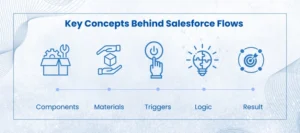
Key Concepts of Salesforce Flow

Examining the fundamental components of Salesforce Flows is crucial to comprehending how they work. These key ideas outline the structure and operation of automation using Flow Builder Salesforce:

Components

The fundamental steps of a Salesforce flow are called elements. They specify what the flow does, including making decisions based on predetermined criteria, changing data, or creating records. These components can be arranged visually to create an automated process using Salesforce Flow Builder.

Materials

In Salesforce Flows, resources serve as dynamic data storage units. They allow customisation throughout the automation process and retain important items like transaction data or customer information.

Triggers

The circumstance or event that initiates the Salesforce Flow is known as a trigger. It might be an automated process that runs every day or every week, or it could be a user action like pressing a button or changing a record.

Logic

Your flow’s decision-making process is determined by logic. Salesforce automation makes sure that every step is carried out in accordance with specified business requirements by using conditional statements, loops, and rules.

Result

Whether it’s updating databases, sending automatic notifications, or utilizing Salesforce integration services to integrate with external systems, the result is the ultimate result of the flow. 

Businesses may fully utilize Salesforce Flows to automate intricate procedures and minimize manual labor by grasping these ideas. 

When Are Salesforce Flows Appropriate to Use and When Are They Not? 

The industry standard for Salesforce automation is Salesforce Flows, which enables companies to create user-guided experiences and automated procedures without the need for complicated coding. Flow Builder Salesforce is the ideal option if you need to automate processes that don’t call for Apex’s sophisticated logic. 

Workflow Rules and Process Builder are examples of legacy products whose support will terminate in December 2025. As a result, firms seeking to future-proof their systems are now placing a high premium on moving current procedures to Salesforce Flows. 

When to Use Salesforce Flows? 

  • Creating, updating, or deleting records in Salesforce.
  • Sending automated emails or notifications.
  • Displaying relevant data and capturing user input.
  • Generating outbound messages and integrating with other platforms using Salesforce integration services. 

When Not to Use Salesforce Flows? 

  • When there is a lack of clarity or consistency in the business process.  
  • If the reasoning is too complicated, Apex code is a better way to handle it. Direct Apex implementations may still be necessary for extremely sophisticated logic, even if Salesforce Flow Builder enables developers to define invocable Apex methods that can be invoked within flows.  
  • Sometimes, the number of flows you may create is restricted by your Salesforce edition (for example, the Essentials and Professional editions only permit five flows per category). 

What Are the Reasons Companies Should Automate Tasks with Salesforce Flows? 

There are several good reasons why businesses should incorporate Salesforce Flows in their work. Salesforce automation can help businesses reduce operational costs, enhance customer experiences, and streamline operations. 

Streamlines the Processes and Saves Time

Salesforce Flows enable personnel to prioritize what matters as it automates menial operations and repetitive tasks. This boosts overall productivity through the reduction of manual labor-intensive activities such as data entry and standard communications. 

Improves Customer Support 

With Salesforce Flow Builder, businesses can automate client follow-ups, answers, and data management, ensuring faster and more reliable interactions that increase customer satisfaction. 

Easy to Use and Free of Code 

Salesforce provides a drag-and-drop interface in its Flow Builder that allows admins and business users to build automation without programming knowledge, reducing the number of required technical staff. 

Economical Automation 

It often requires additional time, financial resources, and expertise to use Apex to develop custom solutions. A cheaper alternative is Salesforce Flows, which has a solid level of automation and does not demand excessive programming. 

Adaptable and Expandable 

Salesforce Flows can easily adapt to the changing requirements of the company, including simple workflows as well as complex automation. They can connect with other platforms easily and scale with growing operations with Salesforce integration services. 

However, Salesforce Flows may not be the best choice in situations where real-time and high-performance processing is needed or where very complex processes may need complex custom logic. There are some circumstances when Salesforce development services or a combination of processes with invocable Apex can yield better results. 

How Can I Use Flow Builder to Create a Salesforce Flow? 

You may effectively automate intricate business procedures while reducing manual labor by creating a Salesforce Flow. Even for non-developers, this procedure becomes simple with Salesforce Flow Builder. To begin, adhere to this detailed guide: 

Step 1: Access Flow Builder is the first step

Enter “Flows” in Salesforce’s Quick Find box to access Flow Builder. After choosing the desired flow type (such as Record-Triggered, Scheduled, or Autolaunched), click New Flow and click Create. 

Step 2: Establish the Context of the Flow 

Distinct qualities are offered by various flow types. For instance, the $Record global variable, which holds information from the triggering record, is accessible through Record-Triggered and Scheduled Flows. You might have to manually define the necessary input variables for Autolaunched Flows. 

Step 3: Set Up Inputs 

Configure the necessary inputs before adding elements. Proper input setup ensures the flow functions effectively. 

Step 4: Add Flow Elements 

Click the + button after the start element to add steps or actions. Choose from various elements—data updates, logic execution, or user interaction—depending on your process needs. 

Step 5: Save Your Flow 

Save regularly while building to protect your configurations and progress. 

Step 6: Test and Debug 

Thoroughly test your Salesforce Flow to confirm it behaves as expected. Use debugging tools to identify and fix any issues. 

Step 7: Activate and Deploy 

Activate the flow once testing is successful. Then, make it available to the intended users, whether internal teams or external stakeholders, ensuring seamless integration with your Salesforce automation strategy. 

Conclusion 

By leveraging the power of Salesforce Flow, companies can remove inefficiencies, improve their customer experience, and gain greater operational agility. It allows you to automate both simple and complex, multi-step processes without requiring heavy coding with its user-friendly Flow Builder. With Salesforce automation combined with professional Salesforce development services and Salesforce integration services, your business will be future-ready and save money, and enhance scalability. You can begin using Salesforce Flows today to make your workflows smarter and faster, and more connected business processes. 

Require assistance in designing flows or migrating flows? Call AnavClouds Software Solutions to receive a free Salesforce Health Check and customized automation assistance. Our team will assist you in leveraging Salesforce Flows to cut costs, scale operations, and time to value. 


Frequently Asked Questions  


What is the distinction between Workflow and Flow in Salesforce? 

Salesforce Flows are no-code automation platforms, and thus have effectively replaced the older Workflow Rules and Process Builder. Flows aid intricate reasoning, dynamic displays, and interpersonal communication among numerous objects. Workflow Rules, on the other hand, are highly restricted, only able to automate a single object behind the scenes and can no longer be considered modern. 

Flow or Apex Salesforce? What is better to use? 

Use Salesforce Flows when you require simple automation having an easy-to-use, drag-and-drop interface. Use Apex when these conditions apply: the logic is very complex, there are custom integrations or real-time processing that is beyond the limits of Flow Builder Salesforce. 

What is the purpose of using Flows in Salesforce? 

Salesforce Flows can give you the ability to create, update, and delete records in multiple objects, send feed-back automated emails, create tasks or approvals, and even execute Apex. They facilitate not only automation but also render it available to admins and business users. 

What are Salesforce Flows? 

Salesforce Flows are additionally employed to automate advanced business processes, optimize workflows, and enhance operational effectiveness without the use of code. They integrate with the Salesforce integration services supporting branching logic, data manipulation, and external system integrations. 

Salesforce AI Agents

Artificial Intelligence isn’t science fiction anymore—it’s here, and it’s changing the capabilities of how businesses work. Salesforce is a robust platform that enhances different functionalities and streamlines multiple business aspects. Moreover, with the latest addition of Salesforce AI Agents, they can now unlock new capabilities and streamline customer interactions. These intelligent virtual agents are equipping businesses to deliver faster, smarter, and more tailored interactions. No matter whether it’s answering customer queries, streamlining workflows, or taking real-time actions, Salesforce Agentforce can help businesses navigate seamlessly. In this blog, we will take a look at how these AI agents are streamlining the ways businesses interact with customers and more. 

The Rise of AI-Powered Customer Interactions 

Customers now demand immediate, seamless, and personalized service. The old customer support methods with one-size-fits-all responses and long lines do not work anymore. Moving forward, with Salesforce automation capabilities through AI Agents providing customer support is much easier, faster, and personalized. These AI-powered customer interactions leverage advanced machine learning, automation, and data-driven insights to deliver robust support. 

Unlike traditional pre-scripted response-based older chatbots, these AI Agents consider customer behavior, intent, and preferences to deliver contextual and relevant responses. What makes their strength is that they can be integrated fully into the whole Salesforce environment. Irrespective of whether a company has Salesforce Service Cloud, Sales Cloud, or Marketing Cloud, these AI agents can work across various functions for a seamless and effective customer experience. 

The most significant characteristics of Salesforce AI Agents 

Conversational AI in Salesforce

Salesforce Atlas is the powerhouse behind these AI agents. They are crafted to provide intelligent, real-time support to streamline interactions. Below are reasons why using AI Agents is a great idea: 

Autonomous Functionality

Once deployed, Salesforce virtual AI agents operate independently, reducing the need for constant human intervention. They can easily process huge volumes of customer queries, handle tasks with maximum efficiency, and even make instant decisions under predefined rules. This capability allows businesses to focus on high-value, complex tasks while AI agents can conduct routine interactions.

Low-Code Customization

AI agents are highly flexible which is one of their greatest capabilities. However, to leverage these AI agents businesses do not require a whole team of developers to create customized agents based on their requirements. They can easily configure and customize AI agents using a low code interface to fulfill specific workflows and customer engagement strategies. However, to further streamline the process you can hire a certified Salesforce development company. They can easily customize these intelligent virtual agents according to business needs and unlock robust capabilities other than just streamlining customer interactions.

Real-Time Data Integration

AI agents can seamlessly integrate with Salesforce Data Cloud, which gives them access and the ability to analyze real-time customer interactions. These agents leverage data so that they can assist them with personalized messaging, proactive suggestions, and varied interactions based on real-time information. No matter if the customer inquires about a purchase order, or service-related problem, or needs a personalized suggestion, AI agents are capable of making data-driven decisions.

Advanced AI Reasoning

Convention AI in Salesforce works on an automation system depending on static rules but AI agents are much more capable. They leverage machine learning and natural learning processing to interpret customer inquiries, figure out their problem, and perform appropriate actions. These capabilities of AI agents are similar to human-like reasoning making the actions more natural and interactive. 

How AI Agents Enhance Customer Engagement 

Salesforce Agentforce isn’t just about automation—these AI agents can create meaningful and impactful customer interactions. Here’s how they revolutionize engagement:

Personalized Support at Scale

Today, customers don’t need generic responses. They need tailored solutions that are prepared based on their own history and interests. Salesforce’s intelligent AI agents use history and real-time information to provide highly personalized service, and customers hear and get heard.

Scalable Customer Service

Manually processing customer interactions is exhausting, especially during peak times or when there is too much traffic. AI-powered customer interactions scale seamlessly, and businesses can easily keep up with greater volumes without the risk of impacting service quality. From processing hundreds or thousands of questions, AI agents provide smooth and fast interactions.

Greater Efficiency and Productivity

Through Salesforce automation repetitive customer service tasks are handled seamlessly. AI agents free employees to allow them to focus on higher-value tasks. Support staff can handle high-level cases requiring human judgment, and AI agents can answer repetitive questions, leading to increased productivity and operational efficiency.

24/7 Availability

Unlike human agents, AI-powered virtual assistants never sleep. They remain available 24/7 so that customers can be attended to at any time. Organizations can offer seamless service at midnight, on weekends, or on holidays, creating customer trust and satisfaction. 

Use Cases of Salesforce Virtual AI Agents in Business 

Salesforce AI agents are making a significant contribution across all sectors, streamlining business processes and enhancing customer experiences through their support.

Customer Support & Service

AI agents can be used to streamline multiple customer service activities from basic responses to resolving technical problems to FAQs. Salesforce AI automation offers immediate solutions to basic question which reduces waiting times and enhance customer satisfaction.

Retail & E-Commerce

AI agents for the retail industry can help in assisting customers with product recommendations, order tracking, returns, and personalized shopping experiences. These AI-powered customer interactions lead to increased sales and improved customer loyalty.

Healthcare

There are a lot of hectic processes in the healthcare sector, and providing seamless patient care is an important aspect. Salesforce healthcare solutions offer personalized AI agents that can easily support patient appointment scheduling, providing medical information, and real-time support for health-related queries. This enhances operational efficiency and patient satisfaction through real-time and correct feedback.

Sales & Marketing

AI agents have positively impacted the sales and marketing teams when it comes to automatic lead interactions, scheduling appointments, and lead qualification. Furthermore, marketing automation through intelligent virtual agents enables businesses to deliver personalized campaigns and better customer engagement. 

The Future of AI-Driven Customer Engagement 

AI agents are the future of customer engagement, stiffing from mere automation to providing intelligent and relevant engagement. With more AI technological advancements, businesses can experience even more advanced capabilities. Through AI-driven predictive analytics, voice assistance, and personalized interactions interactions are more seamless.  

Moreover, automation through AI agents becomes a requirement and not a choice as businesses that adopt these AI agents will gain a competitive advantage. Through this businesses can build stronger relationships, drive revenue growth, and deliver exceptional service experience. 

Conclusion 

Salesforce AI agents enhance the ways businesses interact with customers. From improving efficiency and scalability to offering personalized, 24/7 support, these intelligent virtual agents can transform customer service and engagement. As customer expectations are higher than ever, businesses that embrace automation through AI will lead. This allows them to deliver seamless, intelligent, and impactful experiences. AI agents are paving the way for digital and enhanced interactions in multiple industries. The future of AI-driven customer engagement is here and you should leverage it. AnavClouds Software Solutions is a certified Salesforce development service provider that can easily help you leverage Salesforce AI agents for your business. Schedule a demo now and learn more! 


FAQs 

How do AI-powered customer interactions differ from traditional chatbots? 

Traditional AI chatbots rely on pre-scripted responses and AI-powered customer interactions are dynamic and context-aware. Salesforce’s intelligent AI agents use natural language processing and machine learning to understand customer intent and respond accordingly. With this, they can provide more accurate and personalized interactions. 

Can AI Agents work in multilingual customer support? 

Yes, Salesforce AI agents support multiple languages. They use natural language processing to understand and respond in different languages, ensuring a seamless customer experience across regions. Moreover, this capability helps businesses cater to a diverse customer base without language barriers. 

How do AI Agents enhance sales and marketing? 

AI agents assist sales and marketing teams by automating lead qualification, scheduling meetings, and providing personalized customer interactions. Moreover, they can analyze real-time data to recommend tailored marketing campaigns and improve customer engagement. This allows businesses to scale and increase conversion rates efficiently.  

How do AI Agents improve scalability in customer service?

AI agents enable businesses to handle large customer inquiries without compromising service quality. They can work around the clock, process multiple inquiries simultaneously, and provide instant solutions. This ensures scalability, making it easier for businesses to maintain customer satisfaction. 

Salesforce Atlas

Customer service is changing quickly, and Salesforce takes center stage in this transformation, with Atlas serving as the AI engine to drive Agentforce. A study has shown that 75% of AI users automate tasks at work and use AI for communication. Designed to revolutionize customer support, Salesforce Atlas offers productivity, conversation flows, and seamless experiences that empower agents. But how does cutting-edge AI drive interactions behind the scenes? Let’s explore how Atlas-powered intelligent virtual agents have changed the face of customer service with Salesforce Agentforce 

Understanding Salesforce Agentforce  

Before understanding Atlas, it is appropriate to understand Salesforce Agentforce. The application is an AI-powered customer service tool meant to help agents in their contacts with customers. It is a smart support system that aims to support agents with queries, conversations, and automation of repetitive tasks. Taking out the routine load, this AI-powered customer interactions tool allows teams to focus more on real value support where it matters most.  

What is Salesforce Atlas? 

Atlas is the main powerhouse behind Salesforce’s intelligent virtual agents. It is an advanced AI system that intelligently harnesses machine learning technologies and natural language processing to optimize customer interactions. This advanced Agentforce assistant analyzes real-time customer inquiries to suggest responses and streamline resolutions instantly. With continuous learning from previous interactions, Atlas augments reasoning and improves agent responsiveness. However, to leverage this robust solution it is important to hire Salesforce development services who can streamline the process of implementation. 

Key Features of Atlas  

It provides AI-assisted features to enhance coordination among teams during service. By reaching beyond traditional call center support, it uniquely offers traditional support features. These include service queue management, case management, response management, escalation, and more. Alternatively, it could also be used in the contact center to leverage aspects like scripted responses to bring customer support into the new digital age with quick actions. Here’s what makes it a game-changer: 

AI-Powered Decision Making  

Salesforce Atlas goes beyond query response thinking and strategizing. It uses predictive workforce analytics to know what customers need before there are issues so that agents resolve the problems before escalation. This way, the agent focuses more on resolving problems before they occur rather than merely reacting to them. This advanced Salesforce automation tool tells enterprises about customer interaction patterns that help them safeguard against future hazards and increase customer satisfaction.  

Real-Time Customer Insights  

It analyzes historical support data, purchase history, and customer preferences in order to provide agents with actionable insights. The outcome is that agents can provide customized responses tailored to each interaction they make with customers. With these key insights, organizations can ascertain notions about customer behavior and adjust their services and offerings accordingly. 

Automated Responses for Common Queries  

Customer support representatives spend a considerable amount of their time answering the same questions over and over.  AI-powered customer interactions offer scripted responses to all such queries, making it easier for the representatives to focus on more complex and challenging tasks requiring human input and expertise. By integrating chatbots and a self-service portal, Atlas instantly provides customers with answers to questions, ensuring improved turnaround times and overall service levels.  

Smart Knowledge Retrieval  

Instead of having an agent sift through vast amounts of data to find the right information, agents can retrieve the most relevant guides, FAQs, and resources. This greatly speeds up resolution time and improves response quality. Moreover, AI-powered search capabilities ensure that agents have all the right, up-to-date information they need at their disposal to solve queries expediently. 

Intelligent Case Routing  

Not every customer service agent can tackle every case. The automation capabilities of Salesforce use AI to align customer inquiries with the right agent based on expertise and past interactions for quicker and more accurate results. This robust routing system optimizes workflow efficiency, reduces customer waiting time, and increases overall satisfaction rates. 

Continuous Learning and Improvement  

Atlas continuously enhances its suggestions and recommendations by analyzing past cases and becomes more accurate and efficient with time. Through machine learning algorithms, it identifies trends in customer service, becomes more flexible in tackling new challenges, and can offer more effective support with time.  

Multichannel Integration  

Atlas provides seamless integration across every communication channel from email to live chat to social media to phone support. This enhanced Salesforce automation ensures one single customer experience across all platforms. With this intelligent Agents can switch from channel to channel during an interaction without losing context. This ensures efficient engagement with customers and increased satisfaction.  

Proactive Issue Detection  

Other than responding to inquiries, Atlas provides the capabilities to proactively identify potential issues and alert customer agents. From customer interactions to predictive analytics businesses will be able to resolve concerns seamlessly and improve customer loyalty and satisfaction. 

Progressive Sentiment Analysis 

Atlas analyzes the customer’s tone and sentiment during interactions and prepares the agent to gauge emotions while responding accordingly. This makes it easier to handle sensitive cases with empathy and ensure positive customer relations. 

Seamless Integration with Salesforce Ecosystem  

Atlas is built with the Salesforce ecosystem and it works seamlessly with Sales Cloud, Service Cloud, and Marketing Cloud. It allows smooth workflows and data consistency across multiple departments and this integration enhances operational efficiency. Moreover, Atlas provides a complete view of all customer data. 

How Atlas Empowers Customer Service Agents 

Power of Atlas

Atlas is not designed to replace human agents—it’s built to enhance their capabilities. Here’s how it transforms their workflow: 

Decreased Workload 

By taking up routine tasks such as responding to repetitive questions and processing simple customer inquiries. Salesforce Atlas allows agents to focus on resolving priority cases requiring human judgment and expertise. This significantly reduces stress levels and enhances overall performance. 

Smarter Decision-Making 

The insights offered to AI tool-equipped agents enable satisfactory decision-making based on data-crucial customer interactions. They’re able to predict challenges down the line and offer solutions. With real-time insights, customer service agents provide faster and more accurate solutions, increased efficiency, and hopefully, high customer satisfaction. 

Improved Job Satisfaction 

Atlas allows agents to engage in more meaningful customer interactions by freeing them from routine tasks. AI-powered customer interactions take away the hectic work and customer service agents can work on their problem-solving abilities. They can also focus on building meaningful relationships and satisfaction. This leads to a more fulfilling work environment and fewer cases of burnout. 

Case Assignment Optimizations 

With the advanced capabilities of Atlas, cases are automatically routed to agents with relatable expertise, maximizing efficiency and service quality. It analyzes the case complexity, urgency, and skill set required for each case to direct customers to the best-fit agent. This results in faster resolution and improved overall customer satisfaction. 

AI Driving the Future of Customer Experience 

Atlas speeds up customer and user interactions to make them more personal and seamless. How it does it for them: 

  • Instant Responses: AI-powered Salesforce automation reduces wait times, so customers receive answers promptly. 
  • Hyper-Personalized Support: By examining previous interactions, Salesforce Atlas allows agents to provide solutions based on individual requirements. 
  • Predictive Problem Solving: Based on patterns identified, Atlas predicts problems and presents solutions ahead of time. 
  • Creating Customer Loyalty: Rapid, convenient, and personalized customer interactions generate more powerful relationships and long-term customer trust. 

The Future of AI in Customer Service 

Atlas is only the tip of the iceberg in terms of what AI can do for customer service. As AI-powered customer interactions continue to gain strength, those using Salesforce automation and intelligent virtual agents will be the leaders. Moreover, with the help of Salesforce development services businesses can leverage AI capabilities. The future of customer care is brighter, more efficient, and more customer-oriented than ever before. 

Conclusion 

Salesforce Atlas is not just an AI solution, it is the powerhouse that drives the success of Agentforce. With automated processes, enhanced agent productivity, and personalized customer experiences, it is enhancing how businesses interact with customers. If you are looking to harness the power of Salesforce Agentforce for your business, then hiring a certified Salesforce development company is important. AnavClouds Software Solutions is one of the leading who can streamline the process of implementing Atlas into your business. Schedule a call today and learn more about robust Salesforce AI solutions for your business.  


FAQs

What is Salesforce Atlas, and how does it enhance customer interactions? 

Atlas is an AI-powered engine that helps Salesforce Agentforce and drives intelligent virtual agents. It optimizes and automates customer interactions, provides real-time insights, and enhances productivity by streamlining workflows.  

How does Salesforce Atlas differ from other AI-powered customer service tools? 

Unlike traditional AI, Atlas leverages predictive analytics, sentiment analysis, and intelligent case routing for personalized and proactive customer support. 

How does Agentforce help customer service agents? 

Salesforce Agentforce reduces manual workload by automating repetitive tasks, suggesting responses, and providing quick access to resources. They allow agents to focus on complex issues with ease and enhance their productivity. 

How does AI improve customer interactions in Agentforce? 

Agentforce leverages AI-powered virtual assistants to enhance communication and provide quick resolutions, and personalized customer interactions.