
Gaurav AnavClouds Software Solutions +1 917 266 9985 info@anavcloudsoftwares.com
Flow Builder Salesforce
Salesforce Flow Builder

Salesforce Flow Builder is now the preferred automation platform used by companies to build smarter workflows without heavy code. It gives admins and developers the power to automate processes, minimize manual work, and build end-to-end seamless user experiences across departments. Whether it be timely notification sending or data validation and scheduled updates, Flow Builder provides unparalleled flexibility over traditional Workflow Rules or Process Builder. We are going to discuss the most influential application of Salesforce Flow Builder in this blog that you can begin to apply today to make your teams more efficient, improve the accuracy of data, and build powerful teams. 

How Can Salesforce Flow Builder Simplify Your Automation Journey? 

The Salesforce Flow is simpler to transition than most businesses think, by swapping the Workflow Rules and Process Builder. If you have already developed declarative automation, then you can smoothly migrate those processes and obtain much more control. Today, Salesforce automation has become more flexible, and now it is possible to create smarter workflows that did not exist previously. 

All automations start with Flow Builder Salesforce, the user-friendly tool built into the Salesforce interface. This is a robust developer that lets you design custom automation through straightforward clicks and organized building blocks. Flow Builder also offers numerous options, including setting entry requirements, entering automation, including when you want automation to occur, like when you are creating the record or making the record. Moreover, Salesforce Flow Builder has advanced resources and settings, enabling companies to create customized automation for various Salesforce automation applications. 

Automate smarter and simplify processes with Salesforce Flow Builder.


Why Salesforce Automation Matters for Businesses 

The modern world of business requires businesses to work in a time-sensitive field where efficiency, precision, and smooth customer experiences are all essential factors. The automation of Salesforce processes is designed to assist companies with repetitive manual work, data integrity, and the optimization of essential work processes. Automation of routine processes can mean that teams work on more strategic initiatives that lead to growth and not on administrative overhead. 

The opportunity to decrease the number of mistakes related to manual data entry and disjointed processes is one of the most substantial benefits of Salesforce automation use cases. Automation also makes sure that all steps, including lead management and service delivery, adhere to a set of logic and enhance accuracy within departments. 

In addition, automation helps to take real-time steps and improve the communication of sales, marketing, and service teams. Using tools such as Salesforce Flow Builder, companies can create workflows that are not only time-saving but also help improve collaboration. With Salesforce integration services, automation integrates various systems, thereby facilitating the flow of data and establishing a single business ecosystem. 

To achieve scalability, an organization that subscribes to Salesforce development services can consider automating particular business-specific requirements, such as improving approvals, automating lead nurturing, or managing a post-sale process. 

Which Salesforce Automation Use Cases Should You Start With? 
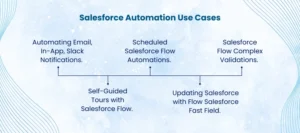
Salesforce Automation Use Cases

Automating Salesforce workflows can be done in infinite ways, although there are use cases that give an instant business payoff. In the following, we discuss five of the most powerful Salesforce automation use-cases that can be implemented with ease in Salesforce Flow Builder. 

Automating Email, In-App, Slack Notifications

Intelligent notifications used to keep the teams informed and proactive are one of the most powerful Salesforce automation cases. Be it email alerts, in-app notifications, or Slack messages, these automated notifications help to alert the right people at the right time–no manual follow-ups. 

Consider having a sales manager instantly notified when a high-value opportunity has just been reported as Closed Won or the support team receiving a Slack notification when a case has violated its SLA. These little but effective automations allow companies to keep their response times shorter and their customer interactions more effective. 

Using Salesforce Flow Builder, it is easy to build these notifications. Record-triggered flows allow you to determine precisely when and how notifications are delivered- whether it is during record creation, updates, or during certain status changes. Moreover, through Salesforce integration services, you can easily replicate the notification to third-party platforms, such as Slack, Teams, or any other team-building resources your organization depends on. 

Through notifications automation, businesses can eradicate delays and missed notifications, as well as keep decision-makers one step ahead at all times. 

Self-Guided Tours with Salesforce Flow

Another important Salesforce automation application example is the development of custom guided experiences with Salesforce Flow Builder. Screen Flows, unlike more traditional tools like Workflow Rules or Process Builder, allow businesses to build interactive and easy-to-use processes without complex code. 

Such flows can simplify repetitive actions, such as adding contacts to existing accounts, through step-by-step instructions, required fields, and duplicate entries by avoiding repetition. These flows can be launched as quick actions, Lightning Pages, or even the home page, which saves much time and minimizes manual errors. 

Now, Salesforce Flow Builder has the newest capabilities with reactive Screen Actions, allowing businesses to develop more dynamic forms and guided steps that can increase the accuracy of data and user productivity. These may be further customized by integrating them with Salesforce development and can also be further tailored to fit bespoke business processes. 

Updating Salesforce with Flow Salesforce Fast Field

Repeatedly updating the fields referenced by the automation on the same record is also another application of Salesforce automation. In contrast to older Workflow Rules or Process Builder, Salesforce Flow Builder lets you decide whether the automation should be executed prior to or after record save, which is more flexible. 

This can be important, especially when you are interested in pre-filling fields with default values, using formulas to make calculations, or making instant updates on important information prior to the record being committed to the database. Take this as an example, when creating a new Partner Referral Lead, a flow can be used to fill out the Description field with business development team instructions-saving time and being consistent. 

In such a manner, Salesforce automation would remove the necessity of complex Apex code and speed up data processing. Businesses that use Salesforce development services can go a step further to include advanced logic or apply it to Einstein to Flow to create draft flows with natural language commands. 

Salesforce Flow Complex Validations

Ensuring the accuracy of data is highly important in ensuring business processes are reliable. Although standard validation rules can be effective with simple checks, they frequently fail when more complicated conditions are being considered, like checking related records or conditional relationships. This is where Salesforce Flow Builder can help considerably. 

The Custom Error Element in Salesforce Flow will allow businesses to build more advanced validations without using Apex code. As an example, a flow may enforce an Opportunity to contain a particular Contact Role, such as an Executive Sponsor, when the deal amount is above a certain threshold. When the necessary record is not present, a custom error message is shown in the flow, whether at the field level or across the record page, causing users to perform corrective action. 

Besides saving the hassle of having to develop it, this method also allows admins and teams more freedom in achieving data integrity. Through Salesforce development services, such complex validations may be further enhanced and expanded in other Salesforce automation applications. 

Scheduled Salesforce Flow Automations 

Not all processes do not have to be real-time processes. Other Salesforce automation applications require that the activities be undertaken either on a daily, weekly, or some other regular basis. Schedule-Triggered Flows: Salesforce flow builder allows businesses to rely on complex batch Apex jobs to automate their recurring tasks. 

These are the planned automations that work well with such processes as cleaning old lead records, inactivating unused products, or other account statuses as per related opportunities. As an example, you can run a weekly flow that looks at all customer accounts: where there are no opportunities, make it a prospect; where there is at least one successful deal within the last 180 days, make the account an active customer; and where there are opportunities, and any of them have not been closed yet, make the status an inactive one. 

This will keep your data up to date without the sales or operations team requiring constant manual updates. In combination with Salesforce integration services, even scheduled flows can be used to update records across interconnected systems, enhancing consistency throughout the business environment. 

Conclusion 

Flow Builder is not a replacement for old-fashioned automation tools anymore; Salesforce Flow Builder is a foundation of scalable, smart business processes. Flow Builder can support different business requirements, whether you require real-time updates of fields, advanced validations, or automations that can run on a cadence. With these established applications, you can get your operations running in a shorter period of time, user productivity will increase, and there will be an enhancement in data governance in your Salesforce org. With more knowledge, you can expand these flows with AI-driven functions such as Einstein for Flow, building even more dynamic and efficient workflows within your organization. 


Frequently Asked Questions 


Why do we use Flow Builder in Salesforce? 

One of the most useful tools that Salesforce Admins can use is Flow Builder. It lets you automate complicated business operations without code writing. As an example, you can do mass updates on many disconnected records, automate conversion stages of opportunities, or handle complicated approval logic-things that used to need programmer intervention. 

What is a Flow Builder? 

Flow Builder is a drag-and-drop, visual interface that enables users to build automated workflows in Salesforce. Flow Builder can help you create automation without any coding experience, whether it is a single email notification or a complex workflow with information updates and system integrations. 

What is the advantage of Salesforce Flow? 

Salesforce Flow is a no-code platform that allows streamlining business processes. It assists in automating repetitive processes, data manipulation, and user interactions, and enhances overall productivity. It can decrease manual processes and allow teams to perform higher-value tasks without compromising accuracy and consistency throughout Salesforce. 

What is the relation between Flow Builder and Salesforce Flow? 

Flow Builder: This is the design tool that you flowchart and set up automated processes. Salesforce Flow is the more general automation platform, which stores, administers, and implements such flows. Simply put, Flow Builder is the canvas, Salesforce Flow is the engine that drives your automation. 

Salesforce Flow

The Salesforce Flows are now the foundation of today’s Salesforce automation, allowing teams to automate sophisticated processes without code. We will describe Flow Builder Salesforce, discuss the key types of flows and the fundamental concepts, include a tutorial on how to make flows, and present best practices when integrating flows in this blog. Admins can create user-guided experiences, automate record updates, and tie systems to Salesforce integration services using Salesforce Flow Builder. This guide will assist you in applying a practical Salesforce automation, whether you are a Salesforce administrator or assessing Salesforce development services. 

What Are Salesforce Flows and How Do They Work? 

One effective method for automating intricate business procedures without writing any code is to use Salesforce Flows. They enable business users and Salesforce administrators to create and implement procedures that previously needed a high level of technical skill. Instead of depending on conventional code-based solutions like Apex, you can use Salesforce Flow Builder’s visual interface to construct smooth automations. 

Flows help businesses using Salesforce automation lessen their reliance on developers while maintaining the scalability and manageability of their processes. Administrators can save time and money on development by handling complex business needs on their own. 

Another major advantage of Salesforce Flows is their maintainability. Anyone familiar with Flow Builder can understand, modify, or extend the existing setup, making it a highly sustainable automation solution. 

Automate smarter with Salesforce Flows—expert development & integration by AnavClouds Software Solutions


Types of Salesforce Flows 

Salesforce offers different types of flows designed to meet varied automation needs. Each category serves specific use cases within your business process: 

Screen Flows 

These flows include a user interface (UI) and require user input. They can be launched as an action or embedded directly on a Lightning page. 

Schedule-Triggered Flows 

These flows run automatically at specified times or intervals, executing background processes for each record in a batch. 

Autolaunched Flows 

Ideal for automated tasks, these flows run without user interaction. They can be invoked from other flows (as subflows), Apex classes, record changes, scheduled jobs, or platform events. 

Record-Triggered Flows 

These flows are triggered when a record is created, updated, or deleted. They run either before or after the record is saved. 

Platform Event-Triggered Flows 

Activated when a platform event message is received, these flows execute in the background automatically. 

Record-Triggered Orchestration Flows 

This type enables multi-step or multi-user processes, orchestrating complex sequences whenever a record is created or updated. 

How Does Salesforce Flow Builder Simplify Automation? 

Salesforce flow builder is a drag-and-drop interface enabling the development and customization of specific Salesforce flows. It allows users to create workflows graphically without relying on complex code, which is an important aspect of Salesforce automation. 

Flow Builder Salesforce enables you to automate various processes, including the creation of various complex workflows considering the updates to the records and Salesforce connection services, record modification, and automated email notification. It is an excellent tool to employ when companies want to streamline operations without investing a significant amount of money in development because it is flexible. 

With Salesforce Flow Builder, organizations will lessen their reliance on coders and permit administrators and teams to develop scalable automation systems that will empower business objectives. 

What Are the Key Concepts Behind Salesforce Flows? 

Key Concepts of Salesforce Flow

Examining the fundamental components of Salesforce Flows is crucial to comprehending how they work. These key ideas outline the structure and operation of automation using Flow Builder Salesforce:

Components

The fundamental steps of a Salesforce flow are called elements. They specify what the flow does, including making decisions based on predetermined criteria, changing data, or creating records. These components can be arranged visually to create an automated process using Salesforce Flow Builder.

Materials

In Salesforce Flows, resources serve as dynamic data storage units. They allow customisation throughout the automation process and retain important items like transaction data or customer information.

Triggers

The circumstance or event that initiates the Salesforce Flow is known as a trigger. It might be an automated process that runs every day or every week, or it could be a user action like pressing a button or changing a record.

Logic

Your flow’s decision-making process is determined by logic. Salesforce automation makes sure that every step is carried out in accordance with specified business requirements by using conditional statements, loops, and rules.

Result

Whether it’s updating databases, sending automatic notifications, or utilizing Salesforce integration services to integrate with external systems, the result is the ultimate result of the flow. 

Businesses may fully utilize Salesforce Flows to automate intricate procedures and minimize manual labor by grasping these ideas. 

When Are Salesforce Flows Appropriate to Use and When Are They Not? 

The industry standard for Salesforce automation is Salesforce Flows, which enables companies to create user-guided experiences and automated procedures without the need for complicated coding. Flow Builder Salesforce is the ideal option if you need to automate processes that don’t call for Apex’s sophisticated logic. 

Workflow Rules and Process Builder are examples of legacy products whose support will terminate in December 2025. As a result, firms seeking to future-proof their systems are now placing a high premium on moving current procedures to Salesforce Flows. 

When to Use Salesforce Flows? 

  • Creating, updating, or deleting records in Salesforce.
  • Sending automated emails or notifications.
  • Displaying relevant data and capturing user input.
  • Generating outbound messages and integrating with other platforms using Salesforce integration services. 

When Not to Use Salesforce Flows? 

  • When there is a lack of clarity or consistency in the business process.  
  • If the reasoning is too complicated, Apex code is a better way to handle it. Direct Apex implementations may still be necessary for extremely sophisticated logic, even if Salesforce Flow Builder enables developers to define invocable Apex methods that can be invoked within flows.  
  • Sometimes, the number of flows you may create is restricted by your Salesforce edition (for example, the Essentials and Professional editions only permit five flows per category). 

What Are the Reasons Companies Should Automate Tasks with Salesforce Flows? 

There are several good reasons why businesses should incorporate Salesforce Flows in their work. Salesforce automation can help businesses reduce operational costs, enhance customer experiences, and streamline operations. 

Streamlines the Processes and Saves Time

Salesforce Flows enable personnel to prioritize what matters as it automates menial operations and repetitive tasks. This boosts overall productivity through the reduction of manual labor-intensive activities such as data entry and standard communications. 

Improves Customer Support 

With Salesforce Flow Builder, businesses can automate client follow-ups, answers, and data management, ensuring faster and more reliable interactions that increase customer satisfaction. 

Easy to Use and Free of Code 

Salesforce provides a drag-and-drop interface in its Flow Builder that allows admins and business users to build automation without programming knowledge, reducing the number of required technical staff. 

Economical Automation 

It often requires additional time, financial resources, and expertise to use Apex to develop custom solutions. A cheaper alternative is Salesforce Flows, which has a solid level of automation and does not demand excessive programming. 

Adaptable and Expandable 

Salesforce Flows can easily adapt to the changing requirements of the company, including simple workflows as well as complex automation. They can connect with other platforms easily and scale with growing operations with Salesforce integration services. 

However, Salesforce Flows may not be the best choice in situations where real-time and high-performance processing is needed or where very complex processes may need complex custom logic. There are some circumstances when Salesforce development services or a combination of processes with invocable Apex can yield better results. 

How Can I Use Flow Builder to Create a Salesforce Flow? 

You may effectively automate intricate business procedures while reducing manual labor by creating a Salesforce Flow. Even for non-developers, this procedure becomes simple with Salesforce Flow Builder. To begin, adhere to this detailed guide: 

Step 1: Access Flow Builder is the first step

Enter “Flows” in Salesforce’s Quick Find box to access Flow Builder. After choosing the desired flow type (such as Record-Triggered, Scheduled, or Autolaunched), click New Flow and click Create. 

Step 2: Establish the Context of the Flow 

Distinct qualities are offered by various flow types. For instance, the $Record global variable, which holds information from the triggering record, is accessible through Record-Triggered and Scheduled Flows. You might have to manually define the necessary input variables for Autolaunched Flows. 

Step 3: Set Up Inputs 

Configure the necessary inputs before adding elements. Proper input setup ensures the flow functions effectively. 

Step 4: Add Flow Elements 

Click the + button after the start element to add steps or actions. Choose from various elements—data updates, logic execution, or user interaction—depending on your process needs. 

Step 5: Save Your Flow 

Save regularly while building to protect your configurations and progress. 

Step 6: Test and Debug 

Thoroughly test your Salesforce Flow to confirm it behaves as expected. Use debugging tools to identify and fix any issues. 

Step 7: Activate and Deploy 

Activate the flow once testing is successful. Then, make it available to the intended users, whether internal teams or external stakeholders, ensuring seamless integration with your Salesforce automation strategy. 

Conclusion 

By leveraging the power of Salesforce Flow, companies can remove inefficiencies, improve their customer experience, and gain greater operational agility. It allows you to automate both simple and complex, multi-step processes without requiring heavy coding with its user-friendly Flow Builder. With Salesforce automation combined with professional Salesforce development services and Salesforce integration services, your business will be future-ready and save money, and enhance scalability. You can begin using Salesforce Flows today to make your workflows smarter and faster, and more connected business processes. 

Require assistance in designing flows or migrating flows? Call AnavClouds Software Solutions to receive a free Salesforce Health Check and customized automation assistance. Our team will assist you in leveraging Salesforce Flows to cut costs, scale operations, and time to value. 


Frequently Asked Questions  


What is the distinction between Workflow and Flow in Salesforce? 

Salesforce Flows are no-code automation platforms, and thus have effectively replaced the older Workflow Rules and Process Builder. Flows aid intricate reasoning, dynamic displays, and interpersonal communication among numerous objects. Workflow Rules, on the other hand, are highly restricted, only able to automate a single object behind the scenes and can no longer be considered modern. 

Flow or Apex Salesforce? What is better to use? 

Use Salesforce Flows when you require simple automation having an easy-to-use, drag-and-drop interface. Use Apex when these conditions apply: the logic is very complex, there are custom integrations or real-time processing that is beyond the limits of Flow Builder Salesforce. 

What is the purpose of using Flows in Salesforce? 

Salesforce Flows can give you the ability to create, update, and delete records in multiple objects, send feed-back automated emails, create tasks or approvals, and even execute Apex. They facilitate not only automation but also render it available to admins and business users. 

What are Salesforce Flows? 

Salesforce Flows are additionally employed to automate advanced business processes, optimize workflows, and enhance operational effectiveness without the use of code. They integrate with the Salesforce integration services supporting branching logic, data manipulation, and external system integrations.