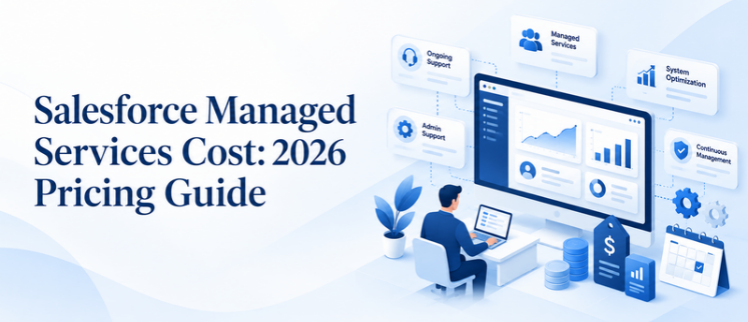
If you’re spending money on Salesforce support this year, you’ve likely heard that the figures greatly differ from one person to another. The typical Salesforce managed services cost varies between $2,000 and $8,000 per month for traditional providers, depending on the number of users, amount of work, and complexity of the org. Overall, the global managed services market is undergoing rapid growth and is worth more than $344 billion today and will reach over $500 billion by 2028. This growth is a straightforward change: it’s the growth of businesses that are contracting platform management rather than constructing and maintaining it. This guide outlines all the factors behind Salesforce managed services costs in 2026, the comparison with hiring, and what you can expect from each pricing model before you sign up.
What Is Included in a Salesforce AMS Model?
Before comparing numbers, it helps to know exactly what you’re paying for. A proper Salesforce AMS model (Application Managed Services) bundles several layers of support under one retainer, rather than charging separately for each request.
Core Administration Tasks
This covers user setup and deactivation, permission set management, data hygiene, and routine configuration changes. It’s the baseline every provider should include, and it’s usually the largest share of monthly hours in any Salesforce managed services cost breakdown.
Development and Automation Support
Flow building, validation rules, approval processes, and scheduled automation fall here. Some providers’ caps include development hours and bill custom Apex or Lightning Web Component work separately, a detail that significantly changes your final Salesforce managed services cost, so always ask upfront.
Governance and Release Management
Salesforce ships three major releases a year. A mature managed service tests each release against your org before it goes live, flags breaking changes, and documents new features worth adopting. Skipping this step is how orgs quietly accumulate technical debt.
Providers that only offer break/fix support without proactive monitoring aren’t really running a Salesforce AMS model; they’re running a help desk with a monthly invoice. That distinction matters, because a lower quote often signals a narrower scope, not a better deal.
What Factors Affect Salesforce Managed Services Cost?
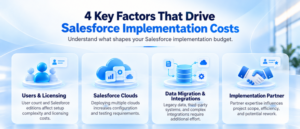
Salesforce managed services cost isn’t a flat number; it moves based on several variables that every provider weighs differently.
Org Complexity and Number of Clouds
One Sales Cloud instance is much cheaper to maintain than a multi-cloud setup spanning Service Cloud, Marketing Cloud, and custom integration. With each cloud, there is its own configuration logic, which directly contributes to Salesforce managed services cost.
User Count and License Tiers
The more seats, the more permission sets, more support tickets, and more testing that will take place during releases. A 500-user org will always carry a higher Salesforce managed services cost than a 50-user org, even with identical cloud setups.
Scope of Custom Development
The basic admin support is less expensive than a retainer agreement for custom Apex, Lightning Web Components, or third-party API integrations. If you have a lot of development on your roadmap, make sure that this is considered up front in your Salesforce managed services cost.
SLA and Response Time Commitments
The premium for a 4-hour SLA is much higher than “best effort within 48 hours. The faster the response time is guaranteed, the more capacity the provider has to spare for you – and you will see the difference in the price.
Onshore vs. Offshore Delivery
Location differences in your provider’s team make a huge difference in the hourly rate; however, the quality of communication and the overlap of time zones should not be compromised.
What Is the Average Salesforce Managed Services Pricing in 2026?
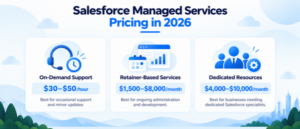
Salesforce managed services pricing is typically divided among three models. Here’s how each one breaks down and where typical Salesforce managed services cost lands within it.
On-Demand / Pay-As-You-Go Pricing
Good for businesses that have fluctuating or infrequent demands. The costs will be around $30-$50 per hour, which is perfect for occasional support, dashboard updates, or simple modifications for integration, as a retainer fee may not be warranted for these types of jobs.
Retainer-Based Salesforce Managed Services Cost
The most frequently used format for continuing needs. Typical part-time retainer fees are $1,500 to $2,500 per month for a part-time retainer and $3,000 to $8,000 per month for full admin-level coverage. This is where most conversations about Salesforce managed services actually land, since retainers offer predictable budgeting without a full-time hire.
Dedicated Resource Pricing
Here, a provider assigns a dedicated admin or developer who works almost exclusively with your org. Pricing sits between a retainer and a full-time hire, often $4,000 to $10,000 per month depending on seniority and specialization. This model narrows the Salesforce managed services cost gap with in-house hiring while still avoiding payroll overhead.
How Does Salesforce Admin Salary Compare to Managed Services Cost?
This is the comparison most decision-makers want answered directly.
Full-Time In-House Admin Cost Breakdown
A Salesforce admin salary in the US typically ranges from $65,000 to $95,000 annually in base pay. Add benefits, payroll taxes, and overhead, usually another 25-30%, and the fully loaded cost climbs to roughly $85,000 to $123,000 per year for one person covering everything.
Managed Services Cost Side by Side
Compare that to Salesforce managed services cost at $3,000 to $8,000 per month, or $36,000 to $96,000 annually, and you’re often getting access to a broader team, admins, developers, and architects, for less than the cost of one full-time hire. This Salesforce admin salary vs managed services comparison is rarely apples-to-apples, though: an in-house admin carries daily business context that a managed team must build through documentation instead.
What Is the Typical Salesforce Support Retainer Cost?
A Salesforce support retainer cost is usually structured around a fixed number of hours per month, billed regardless of whether you use the full allocation.
Retainer Tiers and What They Include
- Starter retainer: 10-15 hours/month, roughly $1,000-$1,800, best for small orgs needing occasional admin support
- Growth retainer: 20-40 hours/month, roughly $2,500-$5,000; covers active development plus day-to-day admin
- Enterprise retainer: 60+ hours/month with dedicated resources, $6,000-$10,000+, includes strategic reviews and multi-cloud coverage
What Drives Retainer Cost Up or Down
The result of Salesforce support retainer costs will vary based on the overage rates, included or excluded services, and even the custom development in or outside of the retainer. Be sure to request the exclusion list in writing before signing.
How Much Does an Outsourced Salesforce Admin Cost?
Outsourced Salesforce admin cost typically runs lower than hiring in-house, largely because you’re not carrying benefits, training time, or recruitment overhead.
Fractional Admin Pricing
A fractional or outsourced admin working part-time on your org generally costs $1,500 to $3,500 per month, compared to $65,000+ annually for a full-time equivalent. For many small and mid-size teams, this is the entry point into the broader Salesforce managed services cost conversation.
Where Outsourced Admin Cost Savings Break Down
The catch: outsourced Salesforce admin cost savings only hold up if the provider delivers real coverage depth. A cheap outsourced admin with no backup, no SLA, and no escalation path can end up costing more in downtime than a properly structured managed service would have in the first place.
Salesforce Managed Services vs In-House: Which Costs Less?
The Salesforce managed services vs in-house debate isn’t purely about price; it’s about what each model optimizes for.
Head-to-Head Comparison
| Factor | Managed Services | In-House Admin |
| Speed to start | Days | 30-90 days to hire |
| Cost structure | Fixed monthly fee | Salary + benefits + overhead |
| Expertise breadth | Team of specialists | One person’s skill set |
| Institutional knowledge | Built via documentation | Deep, day-to-day context |
| Scalability | Flexes up/down monthly | Limited by headcount |
| Risk on turnover | Team continues | Single point of failure |
The Hybrid Approach Many Teams Land On
For growing mid-market companies, the Salesforce managed services vs. in-house decision often comes down to a hybrid: one senior in-house lead who owns strategy, backed by a managed service that handles the day-to-day ticket queue and builds. This combination controls overall Salesforce managed services cost while keeping institutional knowledge close to the business.
Why Pair Managed Support With Salesforce Development Services?
Managed services keep your org healthy day-to-day, but growth often requires more than admin hours can cover.
When Project-Based Development Makes More Sense
Custom Apex, Lightning Web Components, complex integrations, or AppExchange app builds are better scoped as projects than squeezed into retainer hours. Dedicated Salesforce development services let you tackle large builds without inflating your monthly Salesforce managed services cost unnecessarily.
Combining Both for Long-Term ROI
Pairing ongoing managed support with project-based Salesforce development services means you’re not paying premium managed-service rates for large build-outs, and you’re not stretching a generalist admin into development work outside their core strength. Full-service Salesforce partners typically structure pricing so both can run side by side without duplicating cost.
How Do You Choose the Right Salesforce Managed Services Partner?
Price shouldn’t be the only filter you apply.
Questions to Ask Before Signing
- How many Admins and Developers are certified that will have access to your org?
- Are the SLA numbers for response & resolution time correct?
- What is specifically not included in the retainer?
- Is proactive monitoring done, or just in response to tickets?
Red Flags That Signal Higher Long-Term Cost
The lack of clear scope language, lack of hourly rate caps, one resource assigned, and no backup all indicate a Salesforce managed services cost that appears great initially but grows erratically afterward. A transparent partner will show you pricing before the second question.
Final Thoughts
The answer to comprehending Salesforce managed services cost lies in understanding the proper pricing model for your org’s complexity and growth stage. Options range from on-demand support to retainer to dedicated resource – the intention is to have predictable support without the overhead of a full in-house team. With Salesforce’s frequent updates and AI-integrated capabilities, continuous support is not a luxury but a necessity. The ongoing support is not just a comfort, but a necessity, as Salesforce continues to evolve with regular updates and AI-driven features. Businesses can count on AnavClouds Software Solutions for a Salesforce managed services cost/coverage/long-term ROI balance. Schedule a call today!
Frequently Asked Questions
How much does Salesforce managed services cost per month?
For most businesses, a monthly retainer fee is $2,000 to $8,000 based on the size of the organization, number of users, and the level of support within the retainer.
Is managed services cheaper than hiring a Salesforce admin?
Often, yes. Managed services are usually less expensive per year than an in-house admin salary, with the added benefits of having access to a wider coverage of specialists.
What’s included in a typical Salesforce managed services retainer?
Most retainer packages include administration, automation building, release management, reporting, and proactive org health monitoring.
Can small businesses afford Salesforce managed services?
Yes. There are on-demand prices and starter retainer costs, which range around $1,000-$1,500/month, and are available for smaller Salesforce orgs as well.